
Recognition settings
Recognition → Settings holds your recognition reach goal and shows what your company is set up for. The other tabs under Set up cover the feed, emails, Boost, certificates, questions, eligibility rules, the wall and connectors.
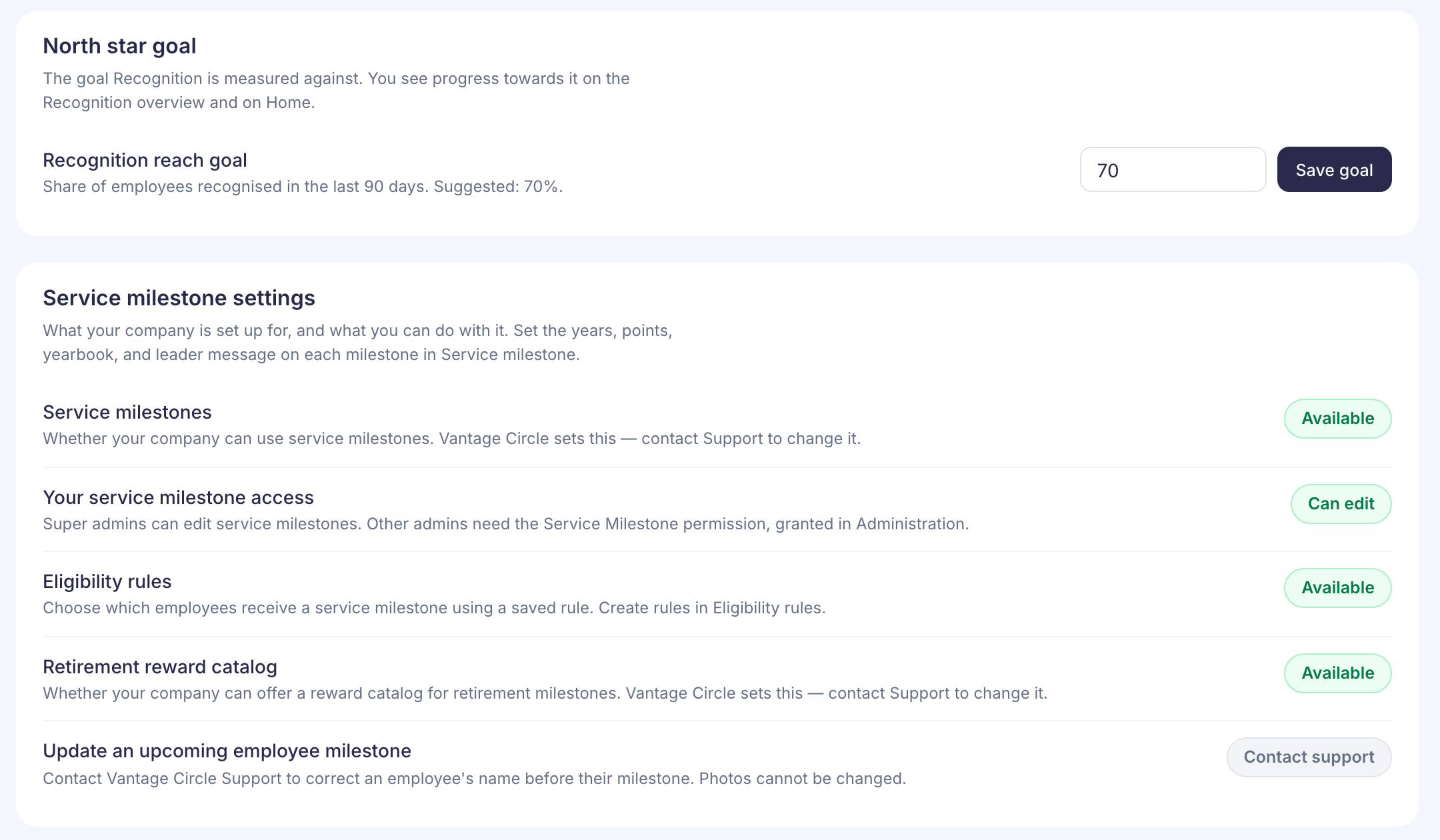
Recognition → Settings has two sections: North star goal and Service milestone settings. The other company-wide settings for Recognition each have their own tab under Set up in the Recognition menu.
North star goal
Recognition reach goal is the share of employees you want recognised in the last 90 days. Recognition → Overview and Home show your progress against it. The suggested goal is 70%.
Only super admins can change it. Enter a whole number from 1 to 100 and select Save goal. Once you’ve saved a goal, Reset to suggested puts back the suggested value after you confirm. Other admins see the goal with a lock and the note “Only super admins can change goals.”
How reach is counted is explained in Recognition results and reports.
Service milestone settings
These rows tell you what your company is set up for. You can’t change them here.
| Row | What it tells you | How to change it |
|---|---|---|
| Service milestones | Whether your company can use service milestones | Contact Vantage Circle Support |
| Your service milestone access | Can edit or View only for you | Super admins can edit. Other admins need the Manage service milestones permission |
| Eligibility rules | Saved rules can limit who receives a service milestone | Create rules in Recognition → Eligibility rules |
| Retirement reward catalog | Whether your company can offer a reward catalog for retirements | Contact Vantage Circle Support |
| Update an upcoming employee milestone | How to fix an employee’s name before their milestone | Contact Vantage Circle Support. Photos can’t be changed |
You set the years, points and yearbook for each milestone in Recognition → Service milestone. See Service milestones.
The other Set up tabs
| Tab | What it’s for | Who can open it |
|---|---|---|
| Feed setup | The banner, leader message, quick links, FAQ and guide video employees see beside the feed. See Customise the recognition feed | Super admins |
| Recognition wall | Login-free links for office and reception screens. See Set up a recognition wall | Super admins and HR admins, if your company has the wall |
| Connectors | Work tools that Smart Nudges reads to suggest recognition. See Connect work tools for Smart Nudges | Super admins, if your company has Smart Nudges. Other admins see an empty page |
| Emails | Birthday, work anniversary and service milestone emails. See Edit recognition emails | Super admins and admins with the Manage roles permission. Other admins see that they don’t have access |
| Boost | Lets people add bonus points to a recognition. See Set up Boost | Super admins. If your company doesn’t have Boost, the page asks you to contact your account manager |
| Certificates | Printable certificates for awards, badges and work anniversaries. See Create a certificate | Super admins |
| Questions & categories | How employees narrow the awards and badges they see. See Set up questions and categories | Admins who can open Recognition |
| Eligibility rules | Reusable rules for who can give and receive. See Create an eligibility rule | Super admins and admins with the Manage awards permission |
If a tab isn’t in your menu, your company doesn’t have that feature or your role doesn’t include it.