
Read Perks results
Perks → Overview shows how much employees saved against your goal and how many used Perks. Perks → Analytics breaks savings down by country, department, brand, category and device.
Start on Perks → Overview for the headline, then open Perks → Analytics to break it down. Both update once a day and count up to yesterday.
Overview
Choose 90 days or 12 months at the top right. Overview has no country or department filter.
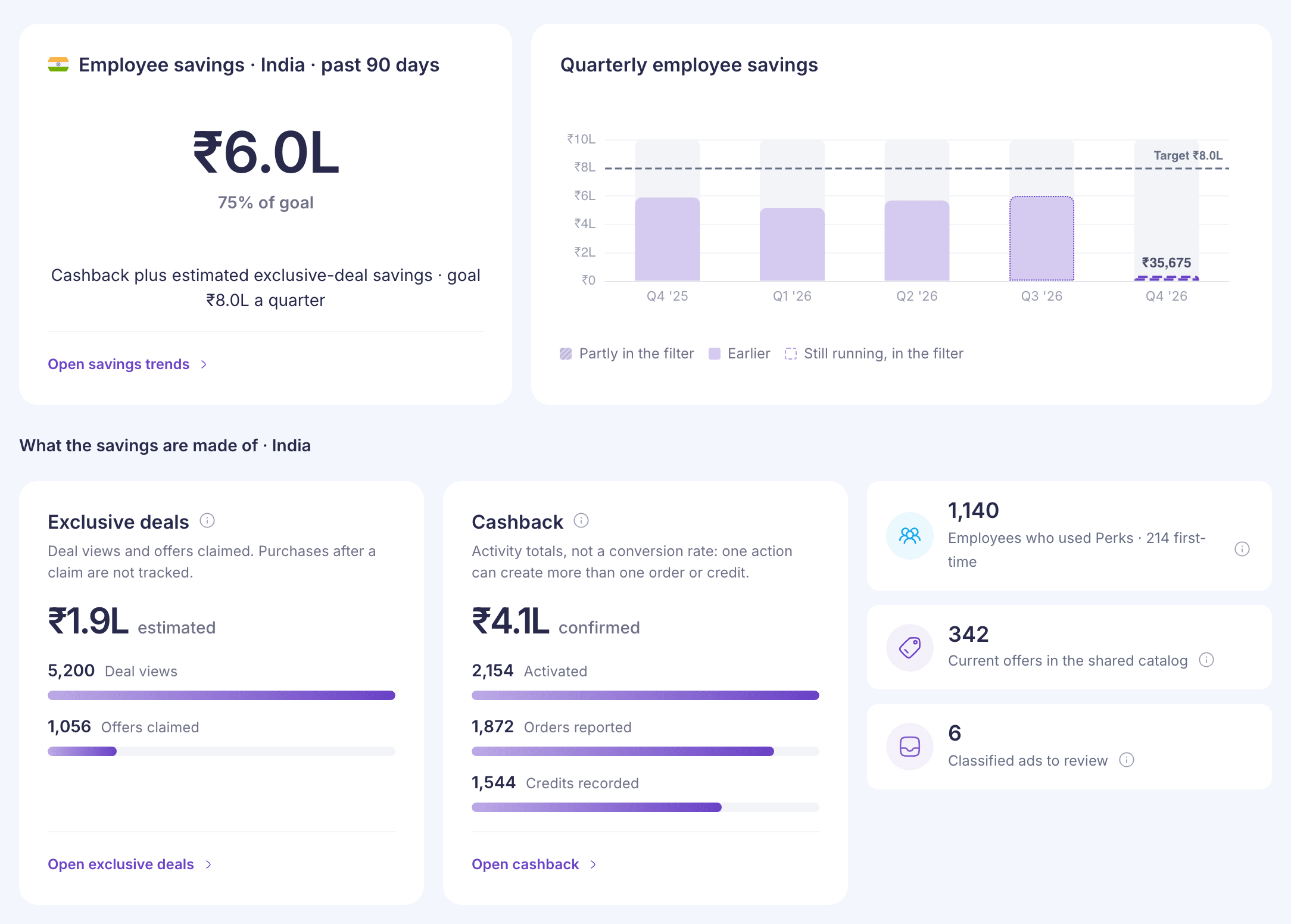
- Employee savings is cashback plus estimated exclusive-deal savings, with how far you are towards your goal, such as “75% of goal”. If you have employees in India and the US, each country gets its own card in its own money. See How Perks savings are calculated.
- Quarterly employee savings shows the last 12 months by quarter, with your goal as a dashed line. The current quarter is outlined because it’s still running.
- What the savings are made of splits the total into Exclusive deals and Cashback. The bars under each are counts of actions, such as Deal views and Offers claimed. Don’t divide one by another. One action can lead to several orders or credits.
- Employees who used Perks counts people with cashback or a claimed exclusive offer in the period, and how many of them were first-time users.
- Current offers in the shared catalog and Classified ads to review are counts as they stand today. They don’t change with the period. If you can review ads, the second tile opens the review list.
Open savings trends, Open exclusive deals and Open cashback all go to Analytics.
Analytics
Set the filters at the top of the page:
- Country: one country at a time, because rupees and dollars can’t be added. It opens on your own country, or India.
- Savings type: All savings, Cashback deals or Exclusive deals. Choosing Exclusive deals hides the cashback-only charts.
- Department: one or more departments.
- Date range: opens on Last 90 days. You can also choose Last 365 days, a quarter or a year, or Pick quarters for your own span.
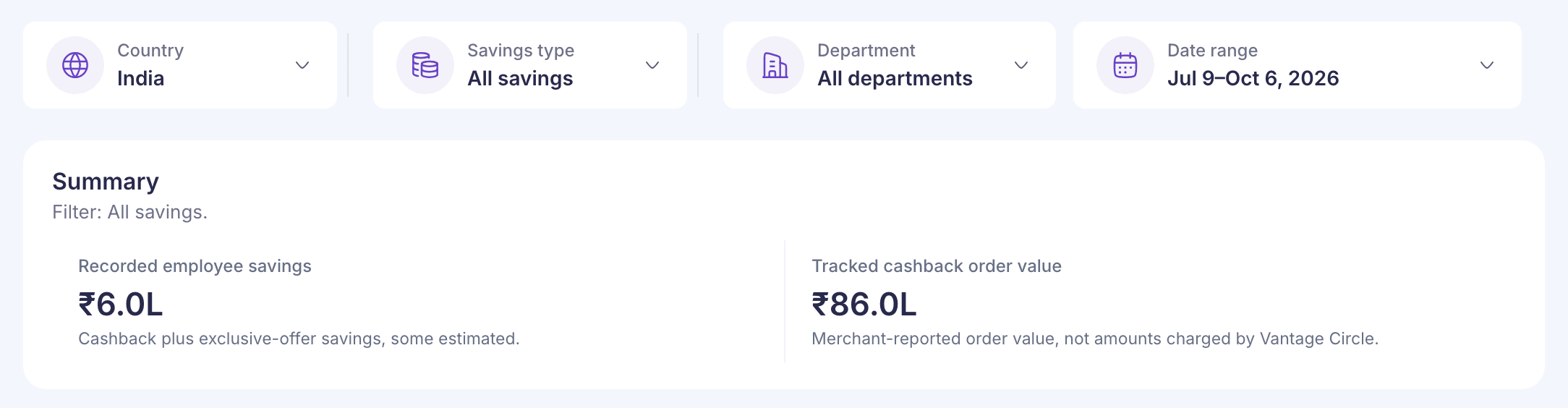
The page then shows:
| Card | What it tells you |
|---|---|
| Summary | Recorded employee savings, and Tracked cashback order value: what stores say employees spent. It isn’t money charged by Vantage Circle. |
| Savings by quarter | Savings each quarter, with the quarters inside your date range highlighted. |
| Employees who used Perks | How many people used Perks, split into first-time and returning users. |
| Cashback credited by day | Net cashback each day. A bar below zero means refunds were bigger than new cashback that day. |
| Recorded savings by department | Which departments saved the most. |
| Cashback savings by category | Cashback by store category, such as electronics or travel. |
| Cashback activity stages and Exclusive-deal activity | Activity totals for each kind of saving. They aren’t conversion rates. |
| Activity by device | Which devices employees used to activate cashback or view exclusive offers, such as Android, iOS or the web. |
| Brands with the most recorded savings | The top brands for the savings type you chose. |
There’s no export or report for Perks results yet.
If something goes wrong
“No Perks results match these filters.” Select Clear filters to remove the country and department, or Change dates to look at the last 365 days.
“This data has not updated as expected. Last updated …” The daily update is late. The figures are from the date shown.
“Live Perks data is unavailable. No results are available.” Perks couldn’t load your company’s data. Reload the page later.
“Something went wrong” Select Try again.