
How can I view the recognition insights of any individual direct team member?

Dalim Bhattarai
Updated On 2025-03-19
To view the individual team member insights, follow these steps:
Step 1: Visit the Vantage Recognition Homepage.
Step 2: Select the Feed tab from the header bar and click ‘Insights’ on the left panel of the window.
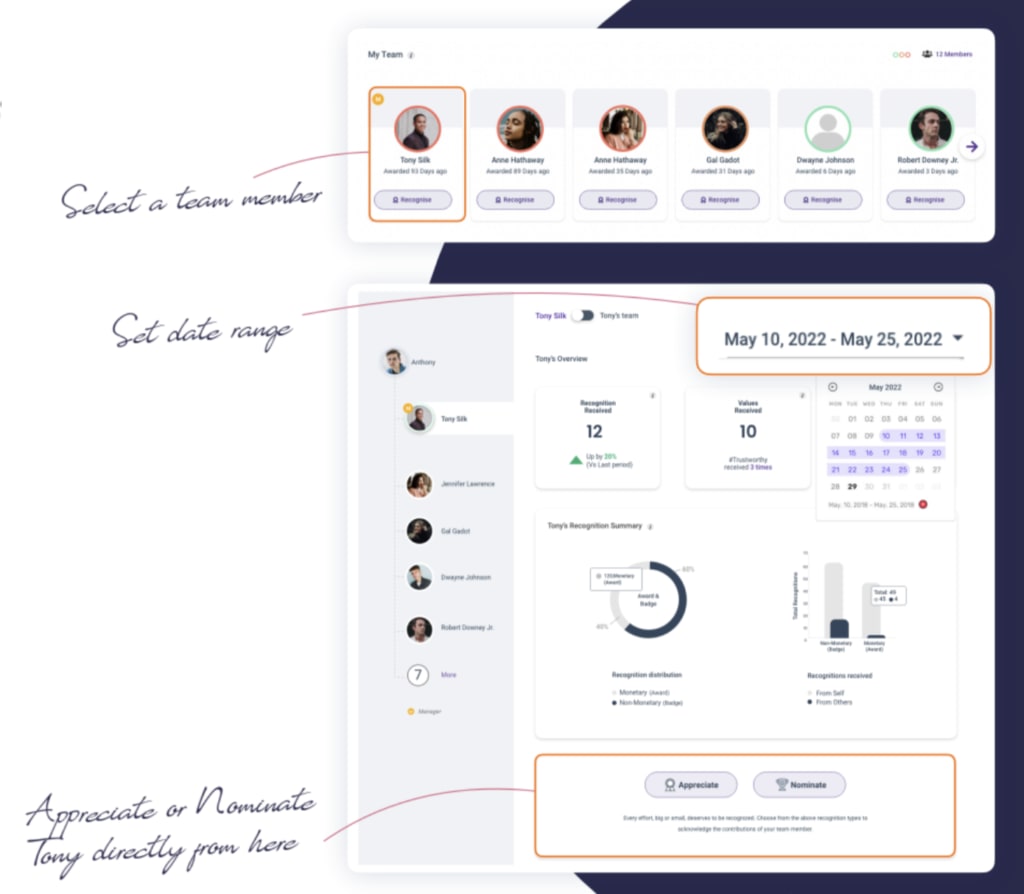
Step 3: Scroll down, find ‘My Team,’ and click on the image of the desired individual whose values, engagement score, or recognition summary you wish to view.
Note:
- You can also appreciate or nominate them from this page.
- The color-coded circle around the profile picture shows how recently the person has been recognized.
Articles in this section