
Where can I approve award nominations & check the award nomination approval status?

Dalim Bhattarai
Updated On 2025-03-18
You can approve award nominations only if you’re designated as an approver.
Follow these steps to approve nominations.
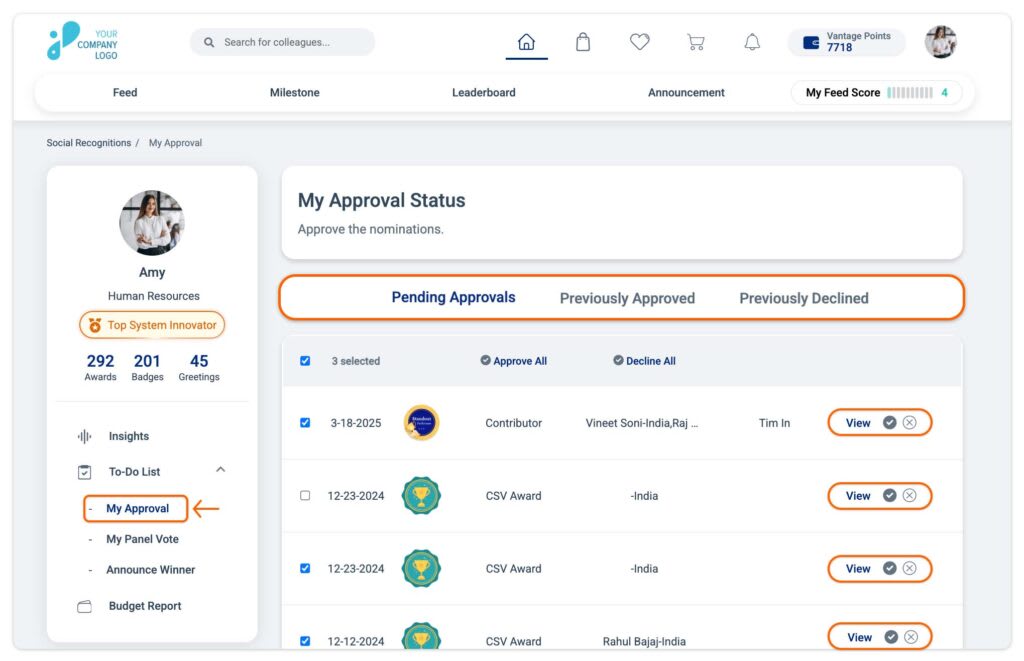
Step 1: Visit the Vantage Recognition Homepage, locate and click the “To-Do List” conveniently positioned in the left panel within the Feed tab.
To View Your Approvals:
- Click on the “My Approval” option to enter the section for managing award nominations. Review your previously approved, declined, or pending nominations within this space.
To approve an award Nomination:
-
Click on the “Pending Approvals” section; all pending approvals will be listed here.
-
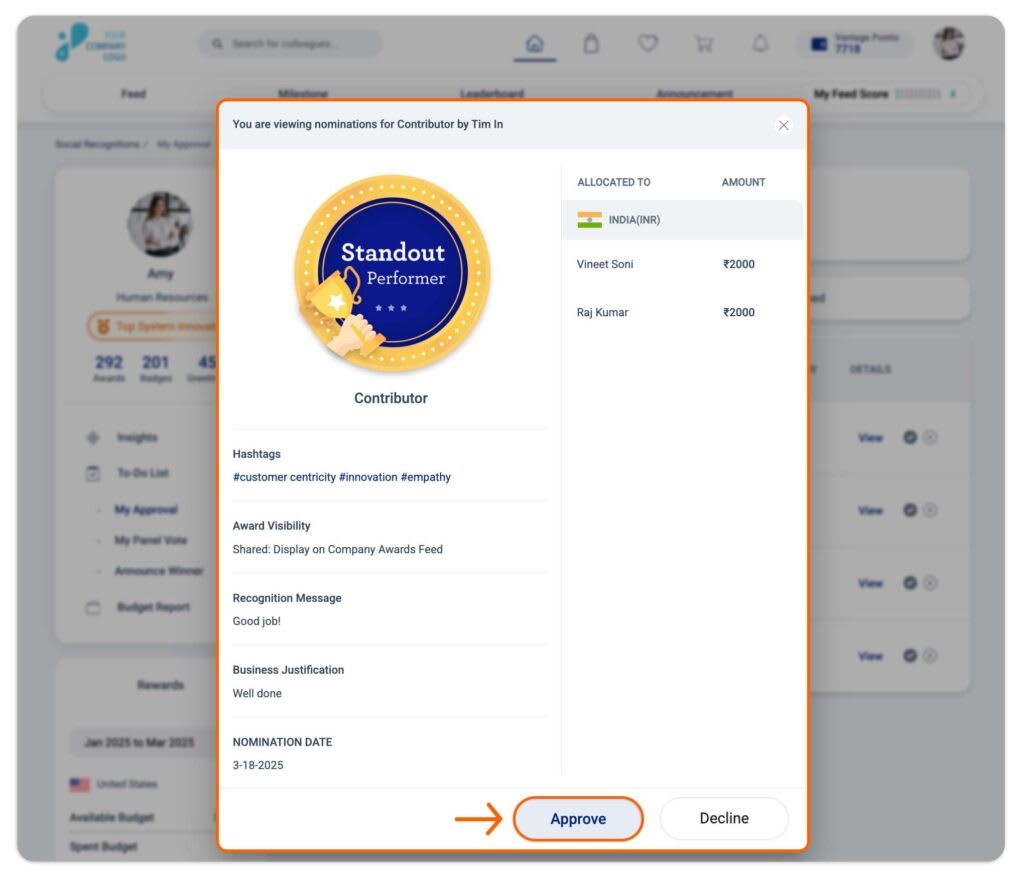
Click the View link corresponding to any award nominations you wish to approve. In the subsequent window, click the Approve button to approve the nomination.
Alternatively,
- Click on the tick mark next to the award nomination you want to approve. In the next window, click Approve to confirm.
Articles in this section