
Pulse settings
Pulse → Settings is where you set your engagement score goal, choose survey languages, add comment tags and check your company's privacy policy.
Pulse → Settings has four sections.
| Section | What it does | Who can change it |
|---|---|---|
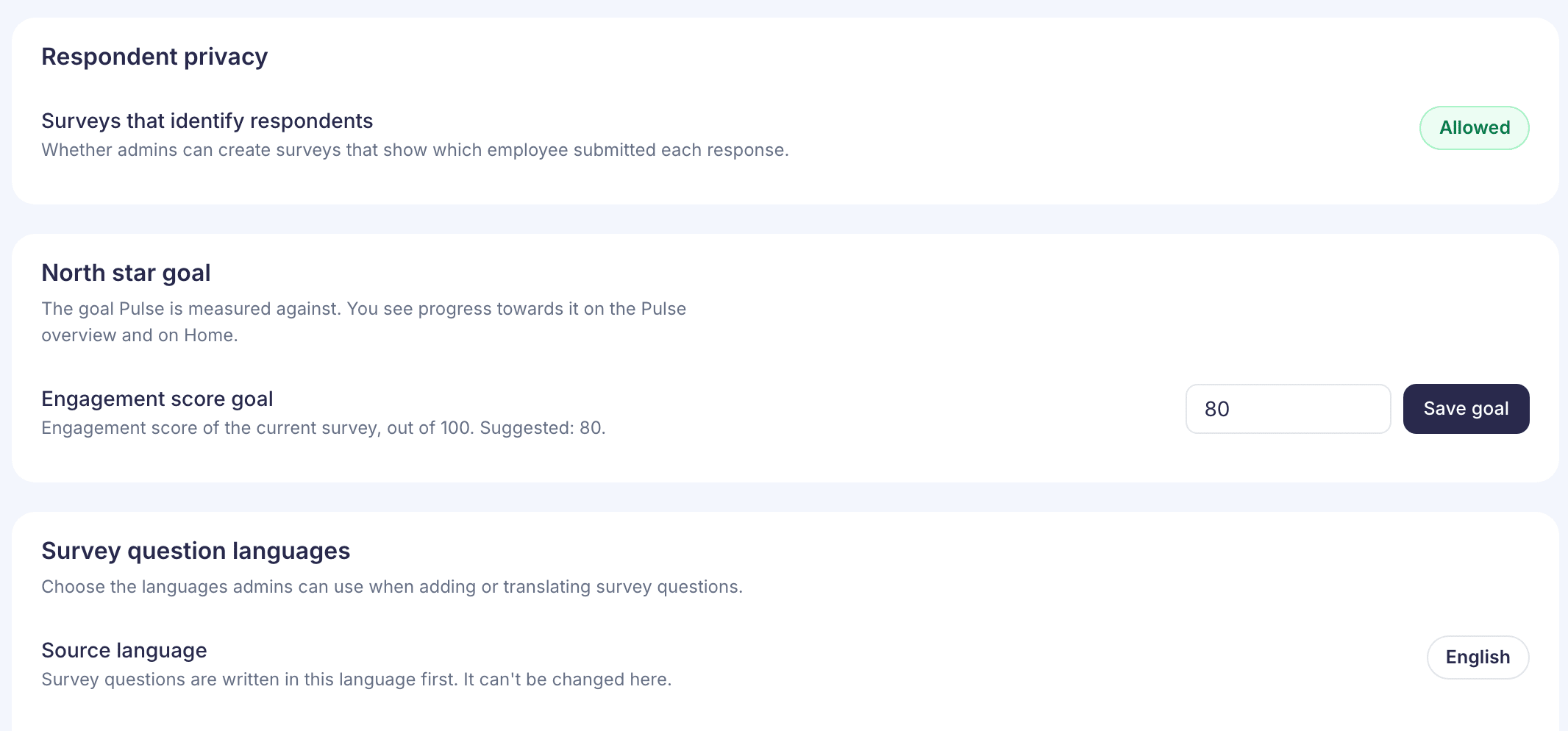
| Respondent privacy | Shows whether your company allows surveys that show names | Nobody here; it’s read-only |
| North star goal | Sets the Engagement score goal that Overview measures you against | Super admins only |
| Survey question languages | Chooses which languages admins can translate questions into | Admins with Pulse Pro |
| Comment tags | Adds tags admins can put on employee comments | Admins |
Respondent privacy
Surveys that identify respondents shows Allowed or Not allowed. If it’s not allowed, you can only pick Anonymous when you create a survey. Names shown is greyed out, with the note “Your company allows anonymous surveys only.” To change this policy, contact your account manager.
North star goal
Enter a whole number from 1 to 100 and select Save goal. Once you’ve saved one, Reset to suggested puts back the suggested goal of 80. You’ll be asked to confirm.
Survey question languages
Source language is the language your questions are written in first. It can’t be changed here.
Pick languages under Additional languages. Changes save on their own. Removing a language asks you to confirm first. If you see “Survey languages could not be updated”, your choices are still on screen; try again.
Adding a language doesn’t translate anything by itself. You translate each question in Pulse → Questions. Removing a language later doesn’t delete translations you’ve already made.
Comment tags
Type a name of up to 40 characters and select Add tag. You can’t rename or remove a tag yet, so you’re asked to confirm before it’s added. New tags go into Custom tags and can be used straight away. If the tag is already there, you’ll see that it “already exists”.
If you’re a reporting manager
You can see this page but not change languages or tags. The page says “You can view survey languages, but you do not have permission to change them.” If you’re also an HR admin, you can change both.