
Set up service milestone awards
Go to Recognition → Service milestone → Milestone awards → Add milestone award. Each award covers one number of years, from 1 to 55.
Who can do thisAdmins who can manage service milestones
PlanRecognition
WhereAdmin dashboard
Last checked15 Oct 2026, against the current product
Each milestone award covers one work anniversary, for example 5 years, for the countries you choose. Go to Recognition → Service milestone, open Milestone awards and select Add milestone award.
If you can see the page but not change it, you don’t have the service milestones permission. Ask an admin who does.
Years of service and options
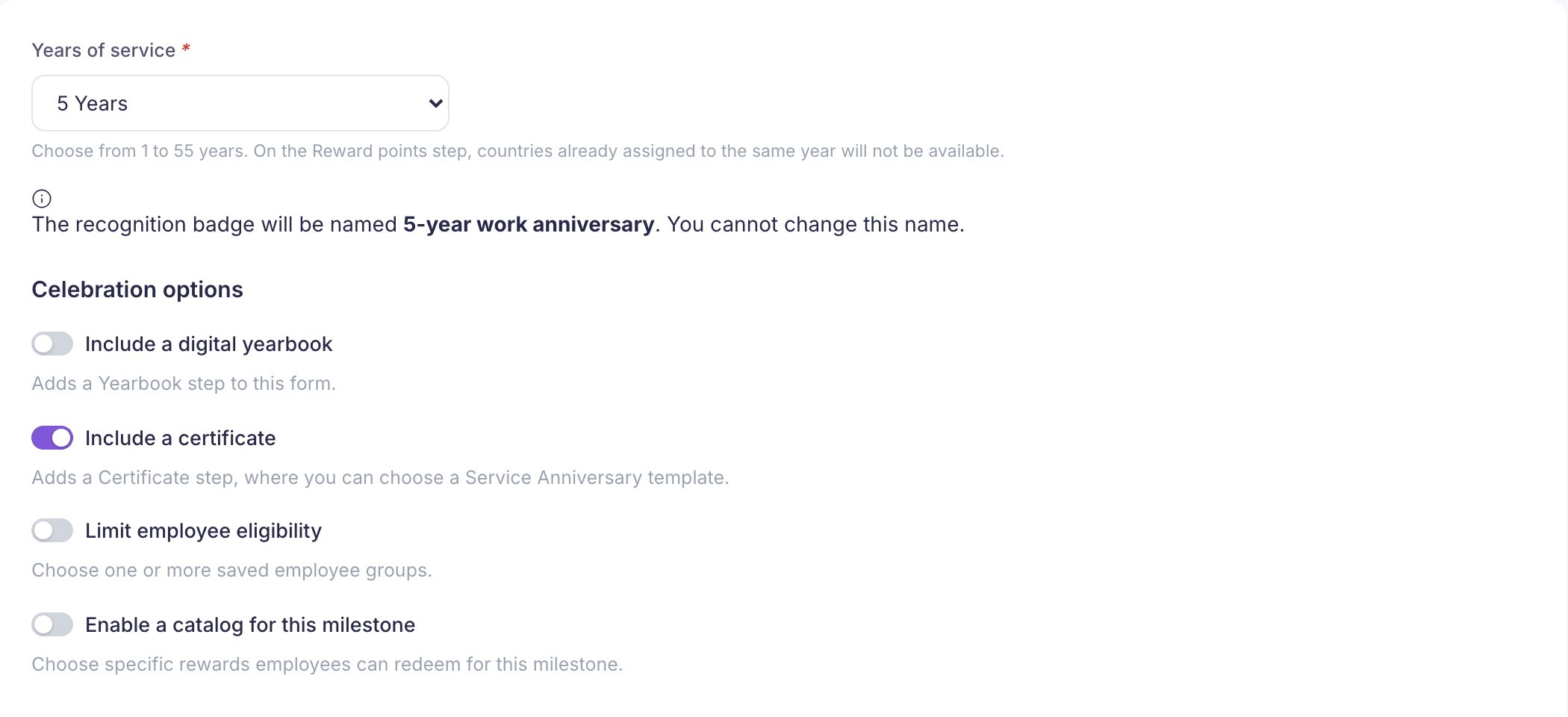
Choose the Years of service, from 1 to 55. The badge is named for you, for example 5-year work anniversary, and you can’t change the name.
Under Celebration options, turn on what you need:
- Include a digital yearbook adds a Yearbook step, where colleagues’ messages are collected into a book.
- Include a certificate adds a Certificate step with Service Anniversary templates.
- Limit employee eligibility shows Eligible employee groups on this step. Pick at least one saved group.
- Enable a catalog for this milestone adds a Reward catalog step, where you choose rewards people can redeem for this milestone.
Badge, points and countries
- On Recognition badge, choose or upload an icon and pick a background colour.
- On Reward points, choose a point amount. Choose 0 (no points) if it’s offered and you only want to mark the day.
- Under Where is this award available?, choose the countries. Countries that already have an award for the same number of years aren’t listed. All countries selects every country that’s left.
Finish
Complete any steps you added, then check everything on Review and select Create milestone award.
A few things to know:
- “No Service Anniversary certificates are available.” Ask a super admin to create one in Recognition → Certificates, with Used for set to Work anniversaries. Or go back and turn off Include a certificate.
- Catalogs are shared. A catalog is shared by every award with the same years and country, so changing it here changes it for all of them.
- Years are fixed once saved. To change the years, create a new award. Everything else can be edited later with Edit.
Was this helpful? Thanks for letting us know.
What was wrong?