
How can I check my ranking within the organization?

Dalim Bhattarai
Updated On 2025-03-21
To view your ranking within the organization, follow these steps:
Step 1: Go to the Vantage Recognition Homepage.

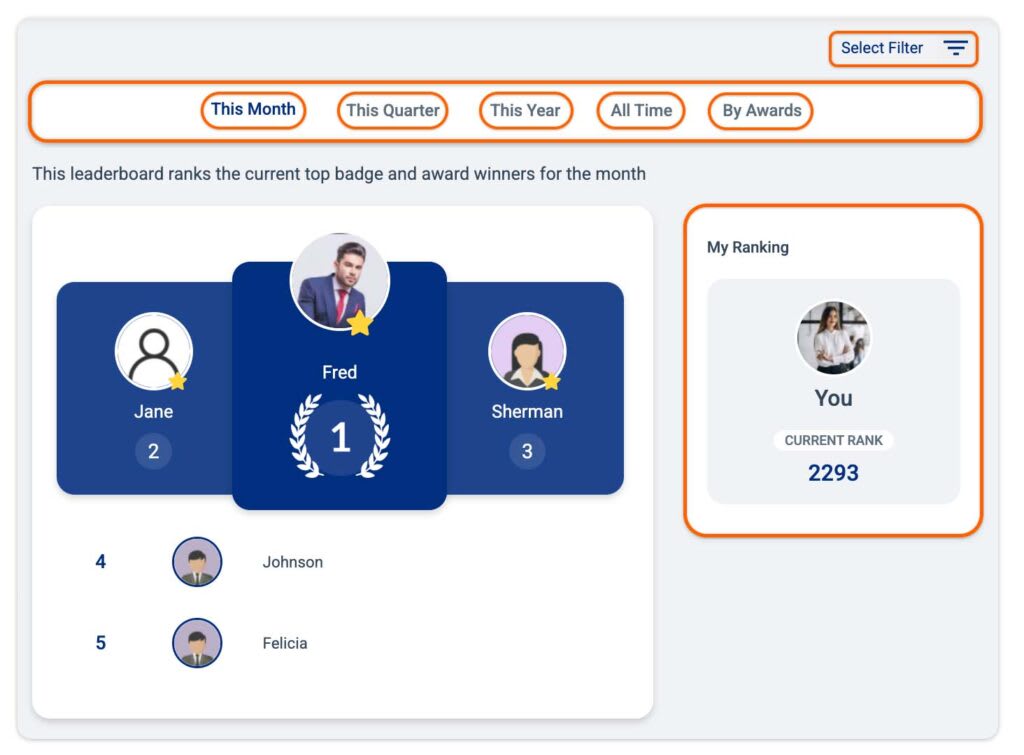
Step 2: Click on the Leaderboard tab from the sub-header section. Your current rank will be displayed on a tile on the right side of the interface.
Note: By selecting the desired time frame, you can view your rank for the current month, current quarter, and current year.
Articles in this section
Most Viewed Articles for Vantage Recognition
What core objectives can be achieved with Intelligent Recognition? How does Intelligent Recognition enhance authentic expression in recognition? How does Intelligent Recognition foster a strong culture of appreciation? How does Intelligent Recognition streamline and simplify the recognition process?