
How can I view other’s Profile Badges?

Dalim Bhattarai
Updated On 2025-03-20
To check out your colleagues’ Profile Badges, just follow these simple steps:
Step 1: Log in to the platform with your credentials.
Step 2: Head over to the prime recognition area and click on the search icon.
Step 3: Type in the name of the colleague whose profile you want to visit and select their profile from the search results.
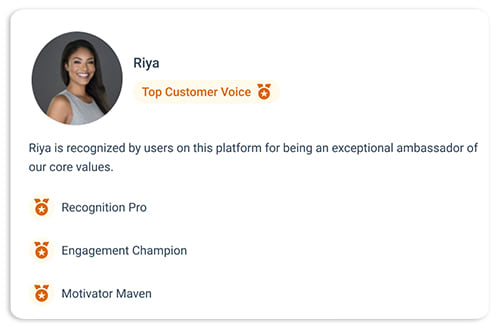
Step 4: You’ll find all their Profile Badges on the left side panel, right below their profile icon.
Articles in this section
Most Viewed Articles for Vantage Recognition
What core objectives can be achieved with Intelligent Recognition? How does Intelligent Recognition enhance authentic expression in recognition? How does Intelligent Recognition foster a strong culture of appreciation? How does Intelligent Recognition streamline and simplify the recognition process?