
Set award quotas
Award quotas limit how many awards someone can give or approve in each cycle. Create a quota in Recognition → Award quotas, give people slots, then pick it as the Award limit on an award.
An award quota caps how many awards a person can give or approve in each cycle, for example 9 a month for each manager. Quotas count awards, not reward points. Go to Recognition → Award quotas.
You’ll only see Award quotas if your company uses them. Vantage Circle turns them on.
The page has three tabs:
- Quotas lists each quota, how many awards it gives per cycle and when it’s used.
- Employee quota balances shows how many awards each person can still give, and is where you give out slots by hand.
- Panel award limits lists the department limits set on panel awards.
Create a quota
- On Quotas, select Create quota.
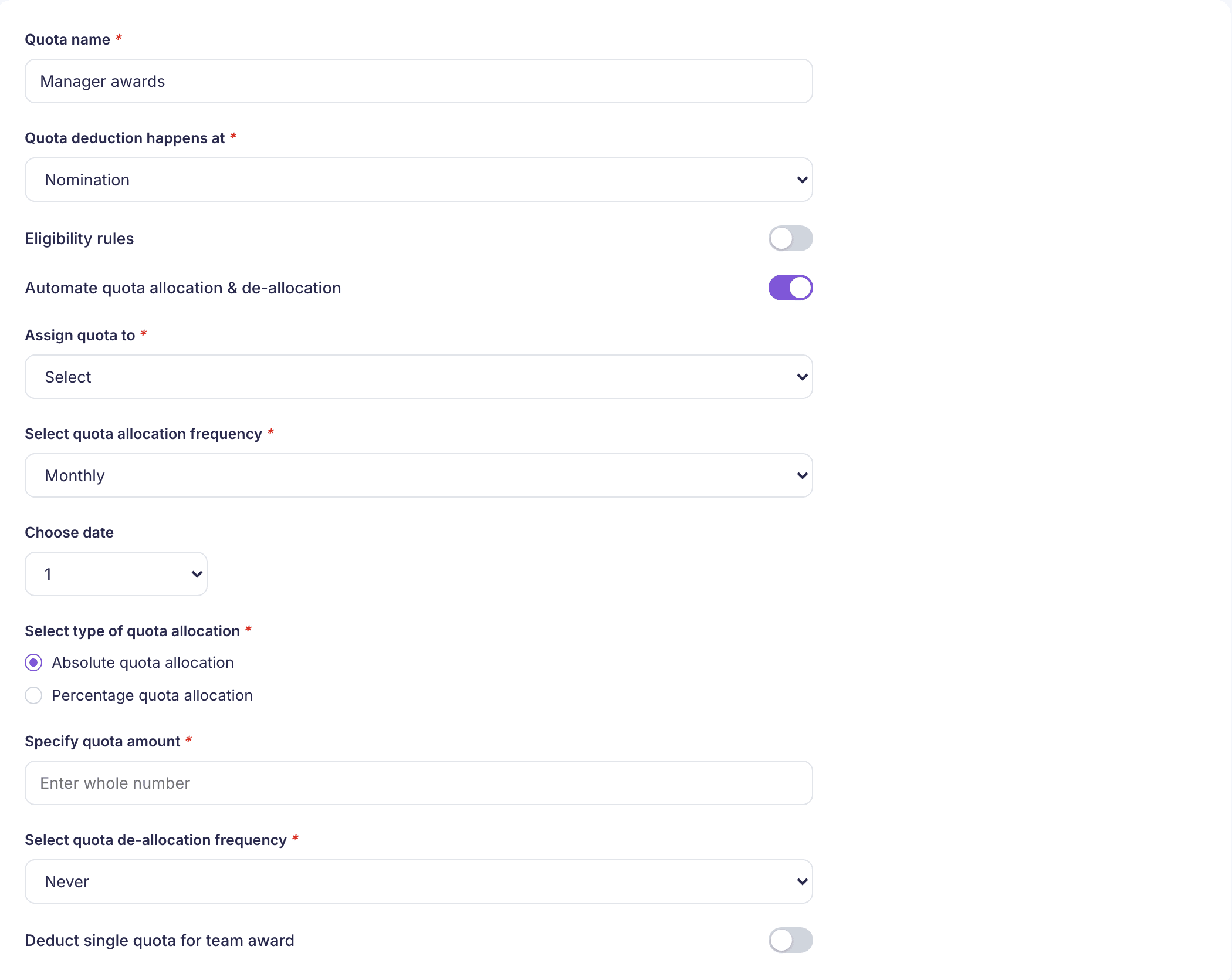
- Enter a Quota name. Each name can only be used once.
- Under Quota deduction happens at, choose Nomination or Approval. This is the step that uses up one award. If you choose Approval and you see Select approver level, choose which approver’s quota it is.
- Turn on Eligibility rules if the quota should only cover some people, and pick the rules.
- Automate quota allocation & de-allocation is on to start with. Leave it on to top people up on a schedule:
- Assign quota to: choose who gets slots, such as Employees, Department or Grade group. Your company’s names for these can differ. For employees, choose All or Specific people.
- Select quota allocation frequency: Monthly, Quarterly, Half yearly, Yearly or Manual allocation. Then choose the date it happens.
- Specify quota amount: how many awards each person gets per cycle, as a whole number. Some Assign quota to choices also offer Percentage quota allocation, a percentage of the person’s direct reports with a minimum and maximum.
- Select quota de-allocation frequency: when unused slots are taken away. Choose Never to let them carry over. It can’t be more often than slots are given.
- Turn on Deduct single quota for team award if an award to a whole team should use one slot rather than one per person.
- Select Create award quota.
If you turn the automation off, nobody gets slots until you give them out. See below.
Use the quota on an award
A quota does nothing until an award uses it. Open the award’s Eligibility and approvals step and choose the quota under Award limit. See Create a standard award.
Award limit only shows for some companies. If you can see Award quotas but not Award limit, contact Vantage Circle.
Give out slots by hand
On Employee quota balances, select Allocate quota:
- One employee: choose the Quota, the employee and the number of Awards to add, then select Assign quota. The dialog shows the employee’s current quota first.
- Upload a CSV: select Download CSV template. It has four columns: quota name, employee email, number of awards and an optional remark. Keep the header row. Only active quotas can be named.
A few things about the CSV upload:
- Every file needs a new name. A filename counts as used as soon as it’s uploaded, even if it’s rejected. Save a corrected file under a new name.
- One bad row stops the whole file. The file is checked before anything is saved, and you get a list of the rows to fix.
- Rejected files can still change roles. People on valid rows may already have been given the quota-holder role, though they hold no slots.
Change or switch off a quota
On Quotas, use the row menu: Edit, Assign quota to an employee, or Activate or deactivate. When a quota is off, the people holding it can’t give or approve the awards it covers. You can switch it back on later.
What people see when they run out
If the quota is used at nomination, someone with no slots left can’t nominate for awards that use it. If it’s used at approval, an approver who runs out sees “Sorry, you do not have sufficient award quota!” when they approve.