
Set up a panel award
Go to Recognition → Awards → Create award and choose Panel award. You set the dates, at least two panelists who vote and one person who picks the winners.
In a panel award, employees nominate colleagues for a set period. A panel then votes, and one person picks the winners from the votes. Go to Recognition → Awards, select Create award, choose Panel award and select Continue.
The form has six steps. They’re the same as a standard award, with a Panel setup step after Details. This article covers what’s different.
Panel setup: who wins and when
- Under Who can win this award?, choose Individual or Team.
- Enter a Maximum number of winners, or leave it blank for no limit.
- Turn on Repeat this award to run it again on a schedule. Choose Month, 3 months, 6 months or Year under Repeat every. The award’s dates must then fit inside one cycle.
- Set the dates. You pick four of them, and the rest are filled in for you:
- Award duration: the start can’t be in the past, and the end must be at least 4 days after the start.
- Nomination duration: nominations open on the award start date. Pick when they close.
- Panel voting duration: voting opens the day after nominations close. Pick when it ends.
- Winner selection duration: runs from the day after voting ends until the award end date.
Panel setup: the people
- Under How do panelists vote?, choose Yes or no or 5-star rating. With a rating, you can tick Ask panelists to answer questions with their ratings and add up to two questions.
- Choose at least two Panelists.
- Choose the Person who selects the winner.
- Tick the options you need:
- Allow the winner selector to participate and be nominated. Without it, nominating them fails with “You are not allowed to nominate Winner Selector!”
- Hide nominations that received no votes.
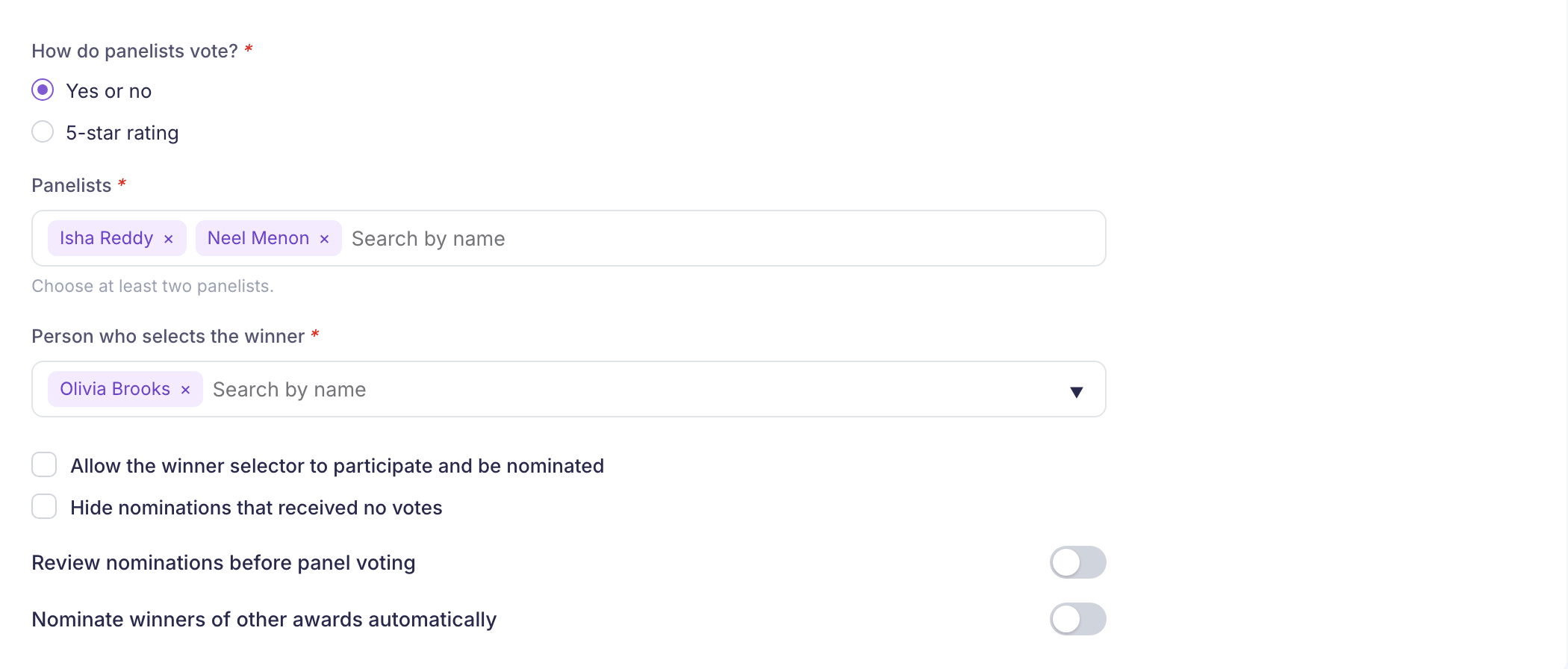
The panelists, the reviewer and the person who selects the winner must all be different people.
Two optional switches sit at the end of the step:
- Review nominations before panel voting adds a reviewer, who approves nominations before the panel sees them. The review runs from the award start date to the end date you pick. That date can’t be before nominations close, and it must be at least 2 days before winner selection starts.
- Nominate winners of other awards automatically nominates anyone who wins one of the awards you choose during the dates you set. Those dates can’t run past the award end date.
Eligibility and approvals
A panel award has no Approval process, because the panel and the winner selector decide. Instead you can use Limit the number of award receivers to cap how many people in each department can win. Enter a number or a percentage of the department for each department you add.
Everything else on this step, and the Reward points, Design and Certificate steps, work as they do for a standard award. Select Create award on the last step.
What happens next
Vantage Circle emails each person when it’s their turn, and the work happens on the employee site:
- Nominators who are eligible for the award get “Nominations for Panel Awards Open”, then a reminder before nominations close.
- The reviewer, if you added one, gets “New nominations are awaiting your review.” and works in Panel Nomination Review.
- Panelists get “Vote for Panel Awards Nominees” and vote in My Panel Vote.
- The winner selector gets “Announce Panel Awards Winner(s)” and picks winners in Announce Winner. On the last day they get “Last Day to Announce Panel Awards Winner(s)”.
The winners get the award and its points. The other nominations are declined. If your company uses budgets and there isn’t enough, the winner selector sees “Insufficient budget or Budget holder not found!”
If the winner selector doesn’t choose anyone before the award ends, the nominations show “No winner announced”.
Things to know
- You can’t reactivate a panel award. Once you deactivate it, it’s gone for good. See Edit, duplicate or deactivate an award.
- Department limits show in Award quotas. If your company uses award quotas, Recognition → Award quotas → Panel award limits lists every panel award’s department limits. You change them on the award itself.