
Transactions
Rewards Hub → Transactions lists budget points moving in and out of the company wallet, departments and budget holders, with a Statement tab for opening and closing balances.
Rewards Hub → Transactions is the record of budget points: what went into and out of the company wallet, departments and budget holders. It only shows if your company uses budgets, and only to super admins and HR admins.
It doesn’t list each employee’s own points or redemptions. For those, use the reports in Rewards Hub → Reports. See Download Rewards Hub reports.
All transactions
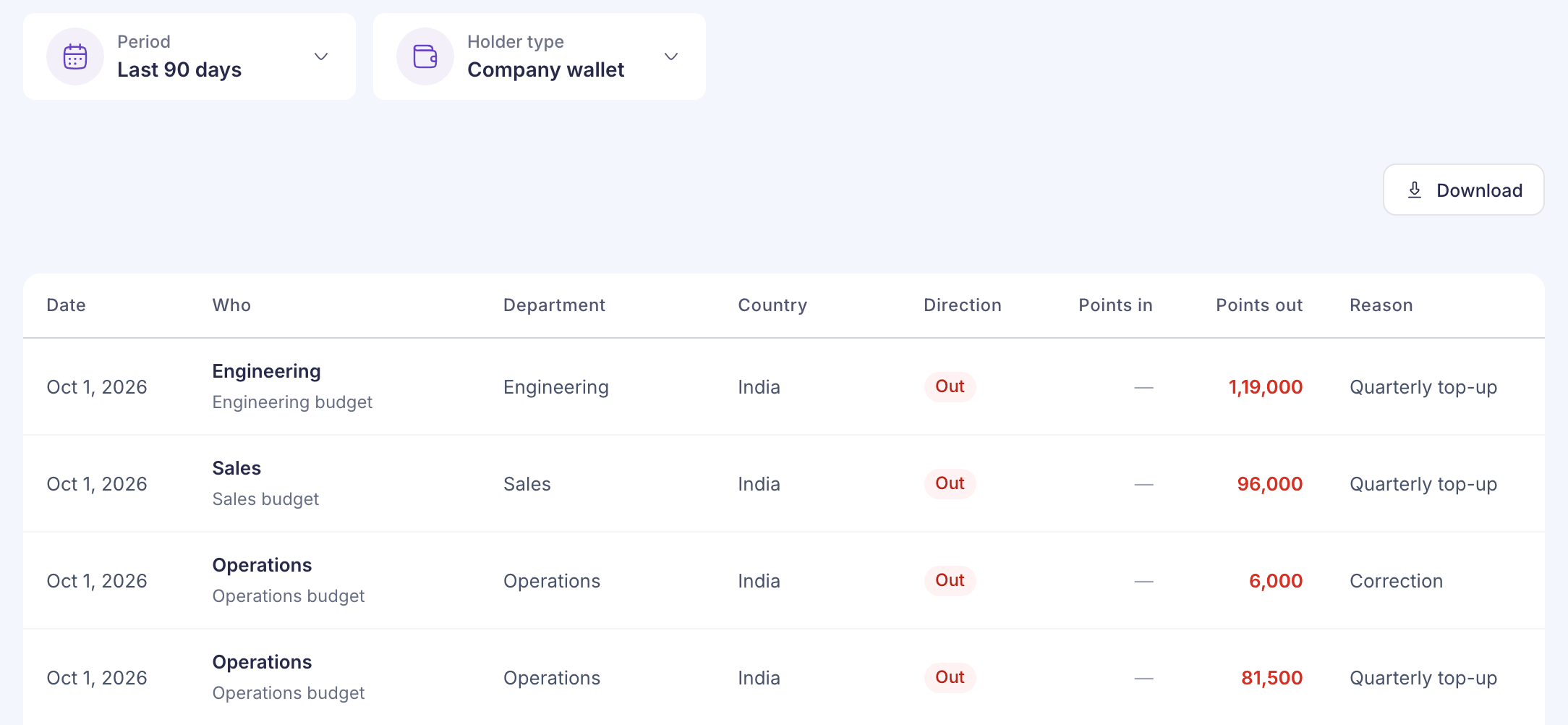
| Control or column | What it shows |
|---|---|
| Period | Last 30 days, Last 90 days (the default), This year or Last 12 months. Each window ends today. |
| Holder type | Company wallet (the default), Departments or Managers. |
| Who | The holder, with their email under the name for a person. |
| Direction | In, Out, Moved or No change. |
| Points in / Points out | The points added or taken away. |
| Reason | The reason recorded with the entry. |
The list only shows whether points moved in or out. It can’t tell you whether an entry was funding, an allocation, an award or a reversal. Read the Reason column for that.
Select Download to save the list as a file.
From Rewards Hub → Budgets, View transactions on a holder’s row opens this list for that one holder. It says “Showing transactions for” and their name. Select All transactions to go back to everyone.
Statement
The Statement tab shows each budget holder’s balance for the period. Choose a Period and a Country.
| Column | Meaning |
|---|---|
| Opening | Balance at the start of the period |
| Given to them | Budget allocated to the holder |
| Taken back | Budget returned to the company wallet |
| They gave out | Points the holder awarded to employees |
| Returned | Points that came back to the holder, for example from a revoked award |
| Closing | Balance at the end of the period |
For each row, the opening balance plus points added and minus points removed equals the closing balance.
Totals only show for one country at a time, because points from different countries aren’t added together. With All countries, the page asks you to select a country.