
Read the Pulse overview
Pulse → Overview shows the engagement score, participation, eNPS, your strongest and weakest topics and a summary of comments for the surveys you pick at the top.
Pulse → Overview is the first page of Pulse. Pick what to look at with the two boxes at the top: Survey type, then Survey. It opens on all your Pulse surveys combined. Demo surveys are never included in the combined view.
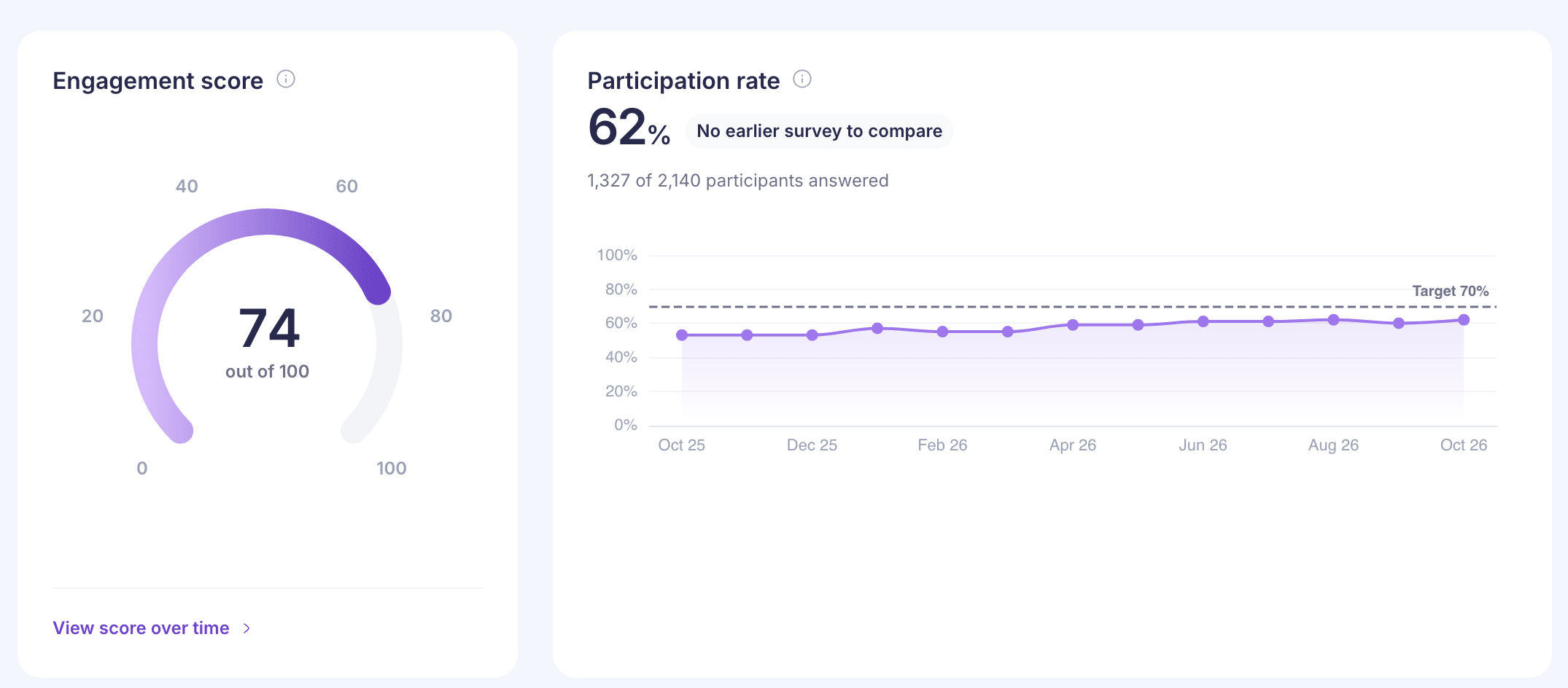
What each card shows
- Engagement score is out of 100, with your goal marked on the dial. For one survey, it also shows the change from the previous one, such as “Previous survey: 65”. Select the card to see the score over time in Analytics. See How the engagement score is calculated.
- Participation rate is the share of invited employees who answered at least one rating question.
- Survey activity counts Invited employees, Employees who responded, Questions asked and Comments received.
- eNPS shows the score with its split into promoters, passives and detractors.
- At a glance names the Strongest area and the topic that Needs attention. Under Engagement drivers, select a topic to open it in Analytics.
- Employee comments shows how many comments were positive, neutral or negative. Select it to read them in Comments.
When you pick an exit survey, an Exit reason breakdown appears beside the score.
When you pick one survey and its summary has been written, a card marked AI-powered and Beta appears. It sums up the survey’s Strengths, an Area to improve and a Recommendation. It’s written once a day, so it doesn’t change with each new answer. See How AI sentiment and summaries work.
Things to watch
- If fewer than 30 people have answered, the score says, for example, “Based on 16 responses. Read with care.”
- With all surveys combined, there’s no previous survey, so no change is shown.
- Your goal comes from Pulse → Settings. Super admins set it. See Pulse settings.
If you’re a reporting manager
Overview shows results for your own team only, and the AI card doesn’t appear. Analytics, Heatmap and Comments are closed to reporting managers for now. See “Analytics is not available for your role”.