What happens to recognition when the moment of appreciation and the record of it live in different places?
The thank-you happens in one platform. The employee’s profile lives in the HR system. Performance conversations happen somewhere else. And when HR wants to connect the dots, recognition becomes another dataset to pull, reconcile, and interpret.
The systems themselves may work perfectly well. The problem is the space between them.
Employees do not experience their work in software categories. They experience a project that went well, a manager who noticed, a colleague who helped, a milestone worth celebrating. Recognition is part of that experience. The challenge is making sure that appreciation can move with the employee experience, from the moment it is given to the places where it can provide useful context later.
The more disconnected it is from everyday workflows, the easier it becomes to postpone, overlook, or simply forget. And for HR, the cost of that disconnect goes beyond a few extra clicks.
What Does “Recognition in the Flow of Work” Mean?
Recognition in the flow of work means making appreciation a natural part of the tools and workflows employees already use. Depending on the integration, that can mean giving recognition directly inside a workplace collaboration tool, making recognition visible in employee records, or bringing recognition into feedback and performance conversations.
It can look like:
Giving a colleague recognition directly from a workplace collaboration tool such as Microsoft Teams
Seeing recognition as part of an employee’s profile or work history
Bringing recognition into feedback and performance conversations
Using current employee information to make sure recognition reaches the right person
Connecting recognition data with the HR systems managers already use to understand employee performance and development
The important distinction is that not every integration creates the same flow-of-work experience. Some integrations let employees take action without leaving the tool they are already using. Others connect systems behind the scenes or make recognition visible in another system after it has been given.
Recognition in the flow of work does not mean putting every HR function into one giant application. The goal is to connect the right systems and workflows so recognition fits naturally into the employee experience.
Why Standalone Recognition Platforms Can Create Friction
A standalone platform is not inherently ineffective, but it can create real problems when it operates without meaningful connections to other HR and workplace systems.
1. Employees Have to Navigate Another Destination
A separate login, unfamiliar interface, or disconnected workflow can make recognition easy to postpone. Managers may engage during rollout, then participate less as work gets busy. Often, the issue isn’t motivation but friction that quietly builds over time.
2. Employee Information Can Become Outdated
A recognition platform maintains its own copy of the organization, and that copy starts aging the moment it is created. Names, reporting lines, departments, job titles, employment status, and locations all need to stay current.
Without regular synchronization, outdated data quietly creates problems such as recognition goes to the wrong person, approval routes follow old reporting lines, former employees remain on nomination lists, and HR teams end up fixing issues manually.
3. Recognition Data Can Remain Isolated
Recognition activity can reveal how appreciation moves through an organization, but that context is lost when the data stays isolated.
Patterns can show HR and managers which teams are highly visible, which are quieter, and where participation is slipping. Recognition data shouldn’t replace engagement or performance measures, but when connected to them, it can add useful context to those conversations.
4. HR Teams May Need to Duplicate Work
Updating employee records, team structures, profiles, departures, recognition data, and reports may seem minor individually, but together they consume HR capacity and create room for errors. And when those errors show up in a recognition program, they’re visible to employees and can undermine the experience the program is meant to create.
How Integrations Connect Recognition to the Employee Experience
Integrations are the connections that allow separate systems to share information and support workflows across them.
But not all integrations work the same way. They can range from scheduled file transfers to continuously synced, two-way connections, and that difference matters. The capabilities below are worth understanding in plain terms before evaluating any specific solution.
Recognition does not have to remain confined to the platform where it was given. When an integration sends recognition activity into an HR system, that information can become part of the employee record and provide additional context for managers.
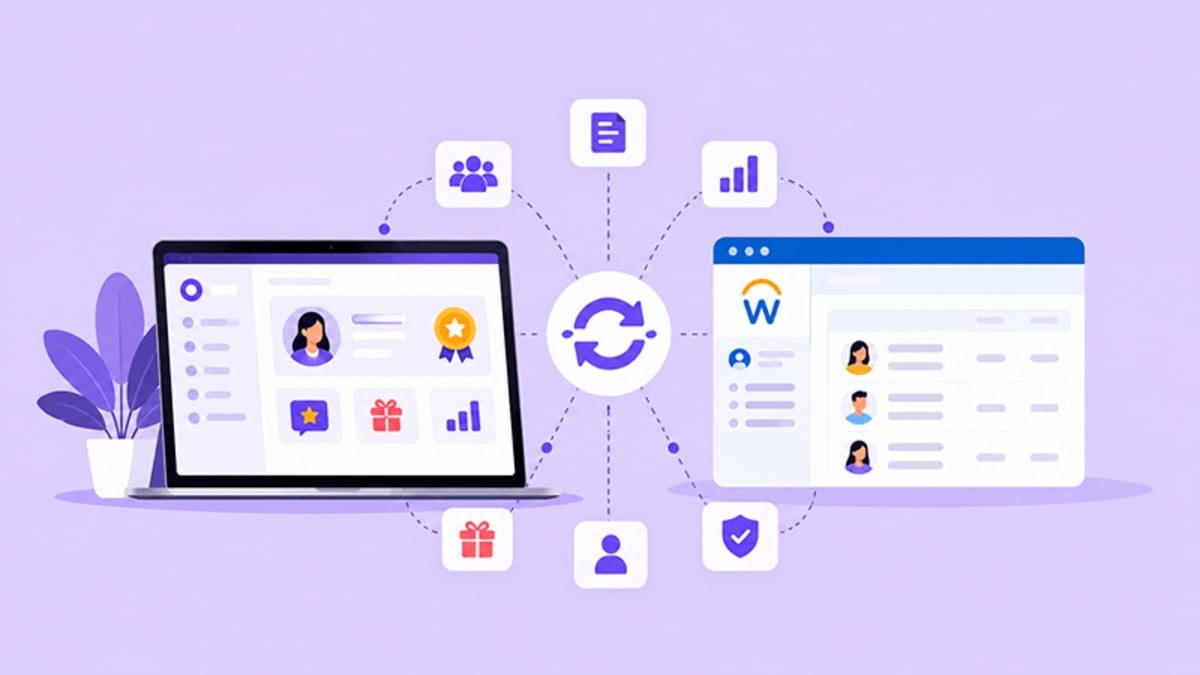
Vantage Recognition’s Workday integration sends recognition activity back to Workday as feedback on the employee profile. A manager reviewing an employee’s feedback for a performance or development conversation can therefore see recognition alongside other relevant information in Workday, rather than having to search for that history separately.
This is different from giving recognition inside Workday. The recognition is still given in Vantage Recognition; Workday provides another place to view the resulting feedback.
Employees join, change roles, move between teams, take on new responsibilities, and leave. When those changes don’t flow into connected systems promptly, outdated information can lead to incorrect access, recognition reaching the wrong person, approval routes following old reporting lines, and reports based on an organizational structure that has already changed.
That’s why how often data syncs, which employee changes are supported, and how those updates are handled matter when evaluating an integration. Look for a clear synchronization cadence rather than a broad promise that data updates “automatically.”
The HR system remains the source of truth for employee information. Employee data such as profiles, teams, departments, reporting structures, and employment status can flow into the recognition platform, keeping the two systems aligned without requiring HR teams to maintain the same information manually.
A two-way integration can also send information back from the recognition platform into the HR system. But the direction and purpose of that exchange matter. It does not necessarily mean employees can complete every recognition action from either system.
Vantage Recognition’s bi-directional Workday integration syncs employee information from Workday into Vantage Recognition. When someone gives recognition in Vantage Recognition, that recognition can then be sent back to Workday as feedback on the employee’s profile. The result is a connected flow of employee and recognition data between the two systems, while recognition itself is still given in Vantage Recognition.
Organizations should understand which settings they can control themselves and which require vendor support. Relevant employee fields, permissions, synchronization schedules, and data-mapping rules all need clear ownership.
Depending on the solution, HR or system administrators may be able to manage these settings directly, while other providers handle configuration and changes on the customer’s behalf. Neither approach is automatically better. What matters is knowing who can make changes, what can be configured, whether a change requires a support request, and how quickly it can be implemented.
What Should HR Leaders Look for in a Recognition Integration?
The useful evaluation question is not whether a platform integrates, because the answer is always yes. It is what the integration actually does and who maintains it.
1. Integration Depth
During evaluation, look at the specific capabilities rather than the integration label. Check whether it supports one-way or two-way data exchange, employee profile synchronization, organizational structure updates, recognition visibility in other systems, feedback or performance connections, and automatic employee lifecycle updates.
The more of these workflows an integration can support, the less manual work is required to keep systems connected.
2. Implementation Requirements
The way an integration is implemented can have a bigger impact on long-term effort than the initial setup itself. Start by understanding whether the connection is configuration-based or requires custom development, middleware, or another integration platform.
Also clarify who handles implementation and maintains the connection, how long deployment typically takes, and what testing and validation happen before going-live. A stronger setup is one where the vendor owns and maintains the connection as part of the product, including compatibility with future platform releases.
3. Administrative Control
HR and IT teams should know exactly what they can change without raising a request. That includes data fields, sync schedules, user permissions, access rules, error handling, and visibility into integration status and monitoring.
4. Scalability and Organizational Complexity
The integration should accommodate the organization as it changes, including multiple departments, different locations, complex reporting structures, mergers and acquisitions, global teams and multiple employee populations.
It is also worth asking what happens if more than one system currently writes employee data into the recognition platform. Two data paths writing the same records will eventually disagree, and the sequence for retiring the older one should be established before the new one goes live.
5. Employee Experience
A technically strong integration should make recognition more useful for employees and managers, not just easier for HR to administer.
Look at where employees can actually take action, where recognition becomes visible, and how easily managers can access it when they need it. In some integrations, employees can give recognition directly inside the tools they already use. Microsoft Teams, for example, can support recognition within the collaboration environment itself.
Other integrations improve the experience differently. An HR-system integration may not let employees give recognition from that system, but it can make recognition visible alongside employee feedback and performance information. That can give managers useful context without requiring them to search through a separate recognition history.
The goal is not simply to eliminate every system switch. It is to make the right information and actions available in the right workflow.
Conclusion
The future of recognition is not another platform employees have to remember for every part of the experience. It is appreciation that connects with the systems and workflows where work already happens.
Sometimes that means giving recognition directly inside a collaboration tool. Sometimes it means keeping employee data synchronized behind the scenes. And sometimes it means making recognition visible in the HR system where managers are already reviewing feedback and preparing for performance conversations.
The goal is not to make every system do everything. It is to make sure recognition can move with the employee experience, from the moment it is given.

Shikha Gogoi is a Content Marketing Specialist focused on SEO-driven content around employee engagement, recognition, and workplace culture, helping build people-first workplaces.
Connect with Shikha on LinkedIn.