
For millions of employees, the workday no longer ends when the laptop closes. It simply moves into chat.
Meetings starting after 8pm rose 16% in a single year, according to Microsoft's 2025 Work Trend Index, and the average employee now sends 58 messages outside working hours. Nearly half of workers say their job feels chaotic and fragmented.
That is the state of remote work collaboration six years after the pandemic pushed it into the mainstream. More than three quarters of remote-capable US employees now work hybrid or fully remote (Gallup, 2026). The tools have largely been settled. The habits have not.
Most teams never replaced the unwritten rules of the office: the quick stop at a colleague's desk, the update overheard in passing, the manager who noticed someone staying late. Without them, a ten-second question can wait a full day for an answer, meetings multiply because no one trusts a written update, and good work goes unseen.
Strong working from home habits help, but they only solve the individual half of the problem. The teams that collaborate well remotely aren't working longer hours or adding more software. They have written down how they work together. This guide covers the 8 practices that make that possible, from knowing when to go async to protecting focus time to making remote contributions visible.
What Is Remote Team Collaboration?
Remote team collaboration is how distributed team members share information, make decisions, and deliver shared work without being in the same physical location. It covers the same core activities as team collaboration in general, communication, decision-making, shared ownership, just without the hallway conversation or the shared whiteboard to fall back on.
Most teams today aren't purely remote or purely in-office. Per Gallup's May 2026 data, of remote-capable US employees, 52% work hybrid, 26% work fully remote, and 22% work on-site, meaning most distributed collaboration now happens across a mix of arrangements inside the same team, not one uniform setup. That mix is exactly why the old office-era habits, a drop-by desk conversation, a hallway catch-up, stop working: there's no guarantee everyone on a team is even logging on the same hours, let alone sitting in the same building.
Remote collaboration and hybrid collaboration share the same mechanics: written norms, async defaults, deliberate recognition. Hybrid just adds one more variable, since some teammates have the office fallback on a given day and some don't, so the norms have to work either way.
Why Remote Collaboration Breaks Down
Remote collaboration rarely breaks down because of the tools. It breaks down because the unwritten rules that made in-office collaboration work, read the room, catch someone at their desk, overhear context in passing, don't carry over to a distributed team, and most teams never write down a replacement.
Microsoft's 2025 Work Trend Index, based on 31,000 workers across 31 markets surveyed in February-March 2025, puts more numbers on that same strain: 30% of meetings now span multiple time zones, up 8 points since 2021, and chats sent outside the 9-to-5 window are up 15% year on year. Employees (48%) and leaders (52%) report that strain in almost equal measure, if anything, leaders feel it slightly more.
None of that is a tooling problem. It's what happens when a team never agreed on which hours are shared, which conversations need a meeting versus a message, and how someone picks up context they missed.
| Challenge | What It Looks Like | The Fix |
|---|---|---|
| Time zones | A quick question becomes a day's delay because the one person who can answer it is asleep | Default to async for anything that isn't urgent, and name a small overlap window for real-time needs |
| Meeting overload | Calendars fill with meetings that exist because scheduling one felt safer than trusting an update | Reserve meetings for decisions, debate, and relationships; put everything else in writing |
| Lost context | A new hire or a returning teammate can't tell why a decision was made without pinging five people | Document decisions where the team already looks, not buried in a chat thread |
| Invisible work | Someone stays up late to unblock a teammate and nobody else ever finds out | Build a habit of calling out specific contributions publicly, not just outcomes |
| Isolation | Teammates across time zones rarely overlap long enough to build any relationship beyond status updates | Build small pockets of informal, no-agenda time on purpose |
Synchronous vs Asynchronous Collaboration: When to Use Each
Asynchronous collaboration means working without needing everyone present at the same time, sharing an update, a document, or a decision in a form teammates can pick up whenever their day starts. The rule of thumb: default to async for anything that doesn't need live debate, and reach for sync when a conversation needs real-time back-and-forth.
That split matters more than it sounds. Defaulting to sync for everything is what produces the meeting overload and the chaotic, fragmented feeling the Work Trend Index data above describes. Defaulting to async for everything, on the other hand, can leave real disagreements unresolved for days and let relationships go cold.
The table below is a practical split for the situations that come up most.
| Situation | Sync or Async | Why |
|---|---|---|
| Status update | Async | No decision needed, just information |
| Decision with real disagreement | Sync | Debate resolves faster live than across a 10-message thread |
| Documenting a process or decision | Async | Needs to be referenceable later, not just read once |
| Onboarding a new teammate | Both | A live intro builds the relationship; written docs carry the reference material |
| Performance or sensitive feedback | Sync | Tone and nuance get lost in text, and the person deserves a real conversation |
| Brainstorming early-stage ideas | Async first, then sync | Written ideas let quieter voices contribute before the loudest person anchors the room |
How to Improve Remote Team Collaboration: 8 Practices
Eight practices consistently separate remote teams that collaborate well from ones that don't: a written working agreement, an async-first default, clear goals and ownership, protected focus time, regular one-on-ones that make contributions visible, transparency, deliberate informal connection, and measuring collaboration health instead of activity.
The 8 Practices at a Glance
Working Agreement
Async by Default
Clear Ownership
Protected Focus Time
Visible Contributions
Open Information
Informal Connection
Measure Health
1. Write a Team Working Agreement
A working agreement is a short, written reference for how a team actually operates: which channels are for what, how fast someone is expected to respond, and when a message should become a call instead. Most remote teams never write this down, so everyone operates on their own private assumptions about what's urgent, and those assumptions eventually collide.
Thirty minutes with the team is usually enough to draft a first version. It doesn't need to be exhaustive. It needs to answer the handful of questions that actually cause friction: Slack or email for what? How many hours is a reasonable response window? Is a missed meeting invite actually an emergency?
The six sections a good working agreement should cover are laid out later in this guide.
2. Default to Asynchronous, Document Decisions
Default to async for anything that isn't time-sensitive, and write decisions down somewhere the team can find them later, not buried three days deep in a chat thread.
The habit that actually makes this work is small: whoever makes a decision in a live conversation writes one line summarizing it in a shared doc or channel before moving on. That one habit is the difference between a team that can answer "why did we do it this way" in ten seconds and one that has to reconstruct the answer from memory every time.
3. Set Clear Goals and Ownership
Remote teams fall apart fastest when people are unclear on what they personally own, because there is no hallway moment to catch the drift before it becomes a missed deadline.
Each person on the team should be able to state, without checking anything, what they are responsible for this week and what "done" looks like. Regular, short check-ins, not long status meetings, are where a manager catches a misunderstanding of scope before it costs a week of wasted work.
4. Protect Focus Time and Cut Meeting Overload
Meeting overload is rarely a scheduling problem. It's a trust problem: someone books a meeting because they don't trust an async update to get a real response. Fixing it means naming meeting-free blocks on the calendar and actually treating them as unavailable, not optional.
HBR's research on collaboration overload (Cross et al., 2022) and the Work Trend Index data cited earlier both point to the same pattern: as meetings creep later and across more time zones, the actual work gets pushed into the hours around them instead of protected inside them. A standing rule, like no meetings before a team's shared overlap window, does more to fix this than any individual's willpower. The meetings a team does keep are worth running well; a strong icebreaker at the start of a recurring call keeps it from feeling like dead time.
5. Hold Regular 1:1s and Make Contributions Visible
In an office, a manager sees a teammate stay late to fix a problem. Remotely, nobody sees it unless someone says so. Regular one-on-ones catch some of this, but the gap closes faster when recognizing contributions becomes a habit, not just a manager's job.
Recognizing distributed work works best inside the tools a team already uses rather than a separate platform nobody opens. Recognizing that kind of effort directly inside Microsoft Teams or Slack, where the work actually happened, turns invisible effort into shared context the whole team can see.
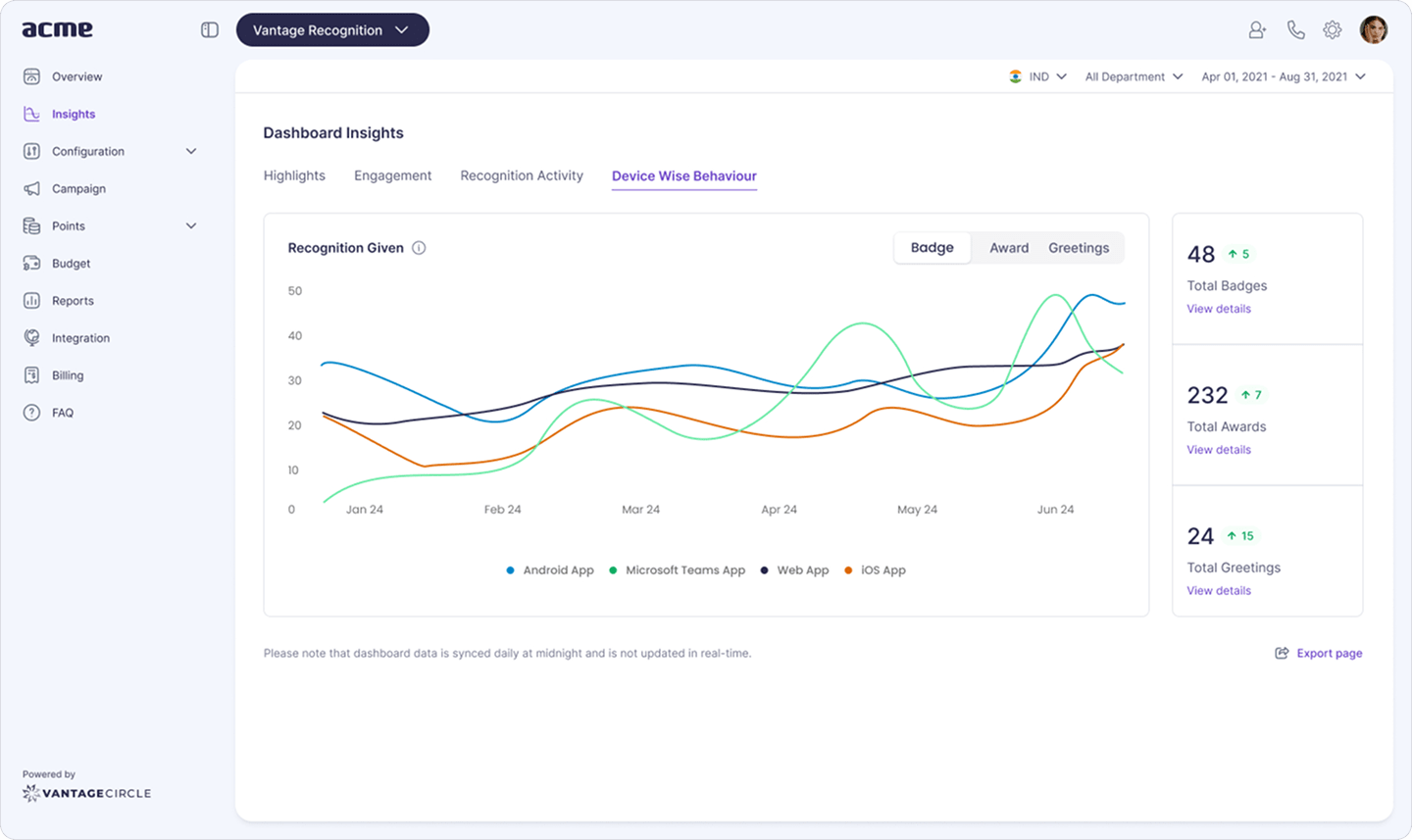
Managers also only see part of what a distributed team actually does. Peers see the rest, who unblocked whom, who documented the fix nobody asked for. Peer-to-peer recognition captures the collaboration a manager would otherwise miss entirely.
6. Keep Information Transparent
Transparency is harder to maintain remotely than in an office, where a glance around the room tells people roughly what's going on. Remote teams have to build that awareness on purpose, or it simply disappears.
The fix is less about grand gestures and more about habit: share major updates in a channel everyone can see rather than routing them through team leads one conversation at a time, and default to open channels over private ones unless there's a real reason not to. Transparency built this way compounds, each visible update makes the next one feel normal instead of exceptional.
7. Create Informal Connection on Purpose
Remote teams lose the hallway conversation, the comment about someone's weekend, the five minutes before a meeting starts, and that loss adds up to teammates who only ever talk about status. Replacing it takes a deliberate, recurring slot, not a single big offsite once a year.
Virtual team-building activities work best when they're low-stakes and recurring rather than a one-off event. A wellness challenge run in teams through a platform like Vantage Fit is a particularly good fit here, since it gives distributed colleagues something shared to talk about that isn't a status update, and it costs almost nothing to run.
8. Measure Collaboration Health, Not Activity
Activity data, like who's online or how many messages someone sent, says nothing about whether collaboration is actually working, and teams that measure the wrong thing end up optimizing for visible busyness instead of real output.
A short, recurring pulse question, something as simple as "I can get the help I need from my teammates", measures the outcome directly without monitoring anyone's screen. Because few people will say a meeting shouldn't exist on the meeting itself, routing that kind of feedback through an anonymous channel surfaces meeting fatigue and time-zone strain early, before it shows up as attrition.
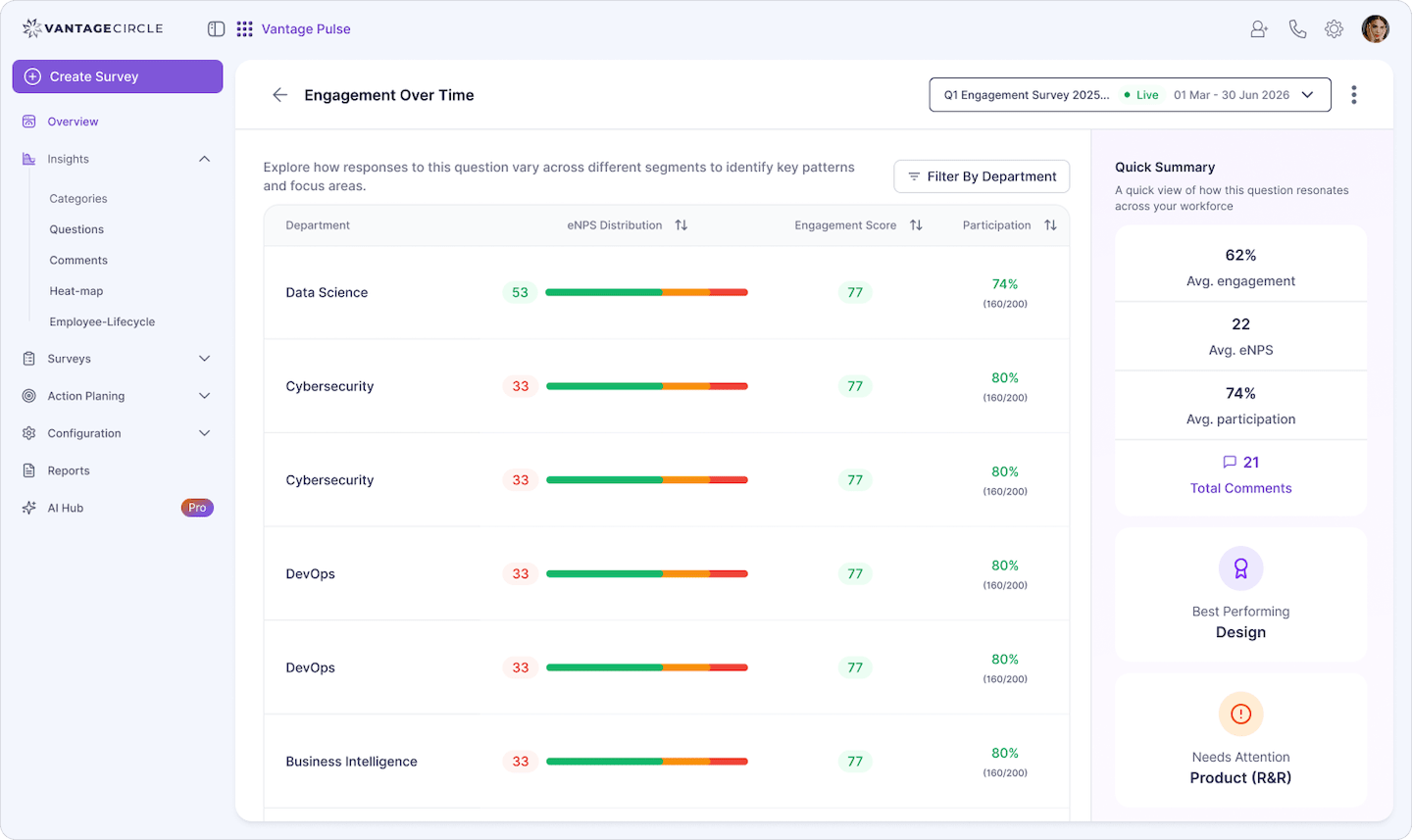
Comparing these questions by department or team, not just company-wide, is usually what surfaces the real pattern. The problem is rarely universal. It's almost always concentrated in one or two distributed teams.
Remote Collaboration Tools by Job
Pick remote collaboration tools by the job they need to do, not by how many features a vendor lists, and then limit how many channels a team actually has to check. Most collaboration friction isn't a missing tool. It's too many tools covering the same job differently.
| Job | Tool Category | Common Examples |
|---|---|---|
| Real-time conversation | Chat | Slack, Microsoft Teams |
| Face-to-face discussion | Video conferencing | Zoom, Google Meet, Microsoft Teams |
| Written reference material | Documents and wikis | Google Docs, Notion, Confluence |
| Tracking who owns what | Project tracking | Asana, Trello, Jira |
| Visual brainstorming | Whiteboarding | Miro, FigJam |
| Recognizing work in the flow of work | Recognition inside existing tools | A recognition platform that posts directly into chat, not a separate app nobody opens |
A team's own tool stack rarely needs all six categories running at full depth. The practical test is simpler: if a channel or tool doesn't answer a specific job clearly, it's adding friction, not removing it.
Remote Team Collaboration Template
A working agreement for a remote team typically covers six things:
- Core channels. Which tool is for what: chat for quick questions, email for anything external, a shared doc for anything that needs to be found later.
- Response windows. How many hours is a reasonable wait for a reply before it's fair to follow up.
- Core overlap hours. The block of time the whole team is expected to be reachable, even across time zones.
- Meetings vs. messages. What actually needs a live meeting versus what can go in writing.
- Where decisions live. One place decisions get written down, not scattered across whichever thread they happened in.
- Recognizing unseen work. A standing habit for calling out contributions nobody would otherwise notice.
Teams that write this down once tend to revisit it every few months as the mix of time zones or work arrangements shifts, rather than relearning the same friction from scratch every time someone new joins.
Frequently Asked Questions
1. How to collaborate effectively if your team is remote?
Write down how the team communicates, default to async for anything that isn't urgent, protect time for live conversations that need debate or relationship-building, and build a habit of calling out contributions that nobody would otherwise see.
2. What is the biggest challenge in remote team collaboration?
Time zones and meeting overload are the two that come up most: a quick question can wait a full day for an answer, and calendars fill with meetings that exist because nobody trusts a written update. Both trace back to the same root cause, teams never replace the office's unwritten rules with written ones of their own.
3. How is hybrid team collaboration different from fully remote?
The mechanics are the same, written norms, async defaults, deliberate recognition, but hybrid adds one more variable: some teammates have the office fallback on a given day and some don't. The norms have to work whether or not someone happens to be in a building that day.
4. How do you recognize good work on a remote team?
Managers only see part of what a distributed team does, so recognition has to be built into the habit rather than left to a manager noticing. Calling out specific contributions inside the tools a team already uses, like Slack or Microsoft Teams, works better than routing it through a separate platform nobody opens.
Conclusion
Remote team collaboration doesn't break down because of a missing tool. It breaks down when a team never replaces the office's unwritten rules with written ones of its own, when meetings substitute for trust, and when good work goes unseen simply because nobody said so.
The eight practices here aren't a one-time fix. They're habits a distributed team has to keep practicing as its mix of time zones and work arrangements keeps shifting. Start with the written agreement and the async default. The rest gets easier once those two are in place.

Shaoni Gupta is a content marketing specialist at Vantage Circle, with expertise in scriptwriting and copywriting in the field of employee rewards and recognition.
Connect with Shaoni on LinkedIn.


