
You've probably sent feedback over Slack that felt fine to you and landed all wrong on the other end. That gap is what remote feedback has to solve for.
Feedback for remote employees works through 3 delivery channels:
- Live video conversations
- Asynchronous written messages
- Public recognition
The rule that changes with distance is tone. Written feedback carries no body language, so remote managers must make intent explicit, deliver correction live, and make praise public.
None of that is intuitive the first time you try it, which is why this is a script library, not a tips list. It gives you 40+ ready-to-use examples across all three channels, an 8-row rewrite table for phrases that read wrong in writing, and the 24-hour loop for feedback across time zones. For the broader mechanics of effective feedback, start there first.
Key Takeaways
- Remote feedback fails in 3 predictable ways: tone loss, timing slips, and invisible effort.
- Correction belongs on camera. Praise belongs in writing or in public.
- Make intent explicit in every async message, text has no body language.
- Close every feedback loop with a live conversation within 24 working hours.
- Public recognition on a shared feed is the remote equivalent of a hallway compliment.
Why Feedback Fails in Remote Teams: 3 Specific Breakdowns
Remote feedback fails in 3 specific ways:
- Tone gets lost in writing
- Timing slips across time zones
- Effort goes unrecognized without a shared room to notice it in
Each breakdown has its own fix, which is why "just communicate more" never solves it.
Tone loss is the most measurable of the three.
Three in ten workers say they have misread a colleague's emoji, and 65% say they have avoided using one at work for fear it would land wrong.
If an emoji is that unstable, a terse sentence is worse. Strip out tone of voice, and "noted" reads as approval to the sender and dismissal to the reader.
Timing slips next. In an office, a correction happens the same afternoon. Across time zones, the same message can sit for 14 hours before anyone reads it, and by the time it lands, the moment it was about has already passed. Feedback that arrives cold has to work twice as hard.
The third breakdown is the quiet one. Gallup's 2025 global data found fully remote employees are the most engaged group at work, at 31%, ahead of hybrid and on-site employees at 23% and 19%. The same employees are also the least likely to say they're thriving in life overall (36%, versus 42% for hybrid and on-site remote-capable workers) and the most likely to report a lot of stress the day before (45%).
Read together, that is a group doing good work with nobody around to notice it costs them. Engagement without visibility does not sustain itself.
How to Give Effective Feedback to Remote Workers: 6 Ground Rules
Effective remote feedback follows 6 ground rules that trade the visual cues of an office for deliberate substitutes.** Skip any one and the message either loses its meaning or lands harder than intended.
1. Correct live, praise in writing or public:
Correction needs tone of voice to soften it, praise reads fine flat and gains from being visible.
2. Never send async correction and walk away:
A written correction with no live follow-up sits unanswered, and silence reads as anger.
3. Make intent explicit:
Add the sentence a raised eyebrow would have supplied: "flagging this so we can fix it, not a big deal."
4. Close the loop within one working day:
See the 24-hour loop below. An open thread past that window quietly becomes a grudge.
5. Default to camera-on for anything corrective.
Camera-off is fine for a status update; it removes exactly the signal a hard conversation needs.
6. Recognize where the hallway compliment used to happen:
On a distributed team, that hallway is a public feed, not a comment thread only the two of you can see.
These 6 rules assume a fully distributed team. If yours splits time between home and office, layer them onto the rhythm covered in our guide to hybrid work engagement.
Remote Feedback Examples for Video 1:1s
A video 1:1 is where correction and growth conversations belong, because the camera restores the tone that text strips away. These 12 scripts are labeled by situation.
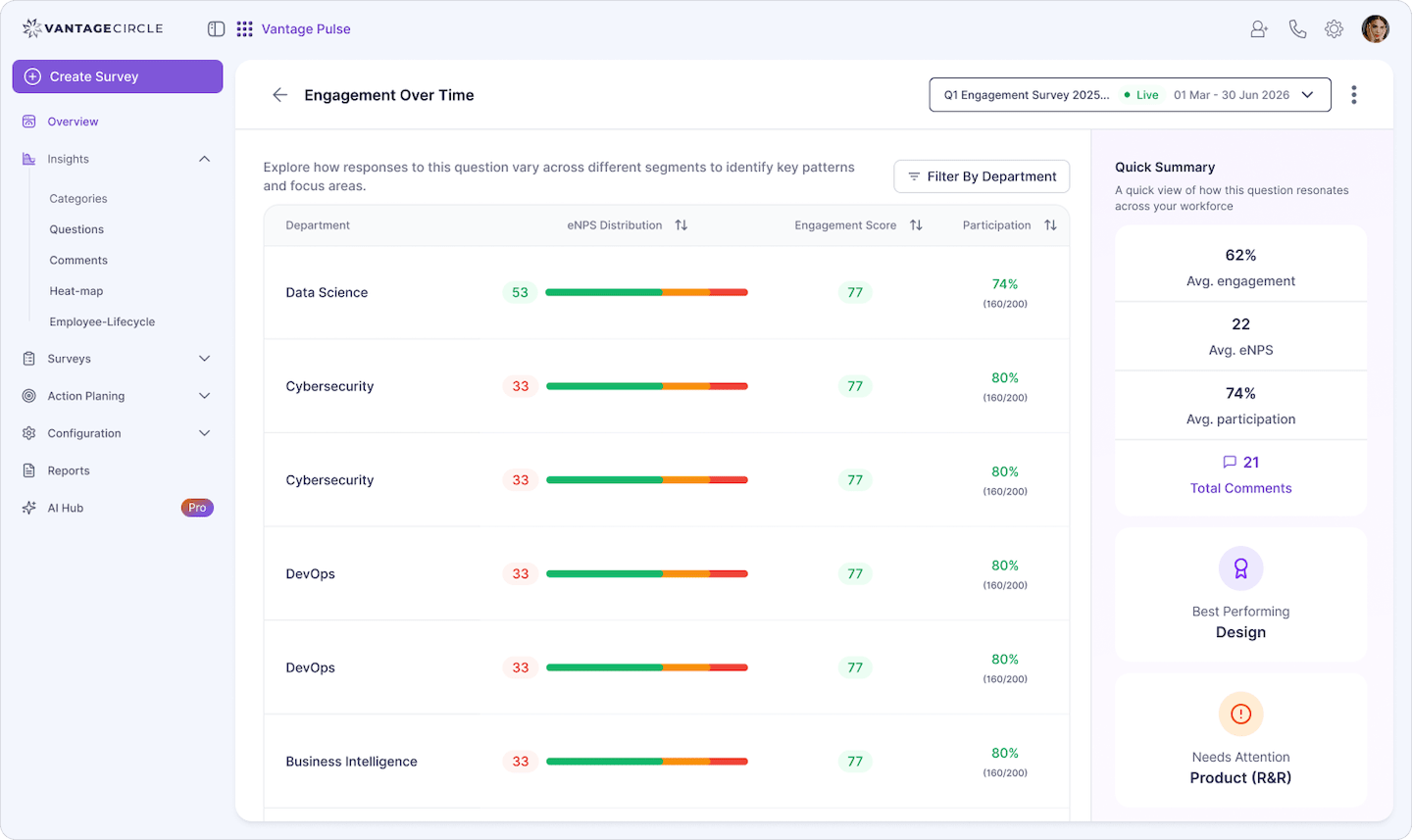
Knowing what to ask is the harder half of running one well. Once HR turns on manager-level visibility, department-level survey data flags it directly: if a team's eNPS (employee Net Promoter Score) or clarity scores dip, that dip is the conversation to open this week, not three weeks from now when it shows up as attrition.
Source: Vantage Recognition
Praise, live
"Before we get into the agenda, I want to say the client walkthrough you ran solo yesterday landed perfectly. I could see it in their faces on the call."
"You caught that the deploy window overlapped with the Manila team's morning stand-up before anyone else did. That is exactly the kind of catch I want more of."
"Watching you run today's retro, I noticed you let the silence sit instead of filling it. That is a harder skill than it looks, and it worked."
"The way you handled the client's scope-creep question on camera, calm, specific, no hedging, is the version of that answer I want the whole team giving."
Course correction, live
If you want broader coverage beyond video, see our constructive feedback examples for scripts that work across channels.
"I want to flag something and I'd rather do it on camera than in a message. Your last two updates landed after the deadline with no heads-up. What's getting in the way?"
"In yesterday's review you spoke over Diego twice before he finished his point. I don't think you noticed doing it, so I wanted to say it directly rather than in writing."
"Your camera has been off in our last four 1:1s, and I have started reading less of what you're actually thinking. Can we talk about what's going on?"
"The estimate you gave the client was double what we actually needed. I'd rather we catch that together on a call next time, before it goes out."
Growth conversations, live
"You're the fastest debugger on the team, and it's starting to mean people route around you instead of learning to debug themselves. Let's talk about when to step back."
"I want to talk about your next six months. You've outgrown the ticket queue. What would it look like for you to own a whole workstream?"
"You mentioned in your last check-in that you feel invisible on this team. I want to hear more about that, because from where I sit your work is not invisible to me."
"Let's use this 1:1 to talk about the promotion case. I think you're close, and I want to walk through exactly what's missing together."
Async Written Feedback Examples (Slack, Teams, Email)
Async feedback works when the writer does the emotional labor the reader's face would have done in person. These 15 scripts survive the trip through text. For a deeper set organized by situation, see our written feedback examples.
Nine in ten workers say they rarely misread a message from a manager or direct report, but three in ten say they have misread one from a peer, which is exactly where an unclear async message does the most damage.
Written praise
"Saw your PR from last night. The comments you left explaining the tricky bits saved whoever reviews this next a lot of time. Nice work."
"Your handoff doc for the EU rollout was the clearest one I've read this quarter. I'm going to point the next new hire at it as the template."
"The way you reworded the client's angry email before forwarding it to the team, same facts, no heat, kept everyone calm going into that call."
"Quick note before I forget: your update this morning included the one blocker that actually mattered and skipped the noise. That's the format I want from the whole team."
"You flagged the pricing error in the deck before it went to the client. Nobody would have noticed until the meeting. Thank you for catching it."
Deadlines and follow-through, written**
"The report was two days late again this month, and no heads-up came before the deadline passed. Flagging it early next time would let me adjust before it's a problem."
"The ticket you closed on Friday was marked done, but the client says the bug is still there. Can you confirm you tested it in production, not just staging?"
"Three messages went unanswered in the shared channel this week before I had to ping you directly. If you're underwater, say so; radio silence reads as ignoring it."
"You committed to Wednesday and it's now Friday with no update. I'm not upset, I need to know so I can tell the client something true."
Cross-team and cross-timezone handoffs
"The handoff note you left for the next shift had every context clue they needed. That's the reason the migration didn't stall overnight."
"Your status update this morning assumed I'd read yesterday's thread, but I was asleep for most of it. A one-line summary at the top would save the re-reading."
"When you flagged the outage in the channel at 2 am your time, that's above and beyond. I want that logged so it's visible past just the two of us."
"The brief you sent design was missing the deadline, and by the time they asked, your day had ended. Include the date up front next time so nobody waits twelve hours for it."
Tone repair, in writing
"Rereading my message from this morning, it landed flatter than I meant it. To be clear: this isn't a warning, it's a quick fix, and I still think you're doing well overall."
"I noticed my last comment on your doc came across as blunt. I meant "cut this paragraph," not "this whole section is weak." Sorry for the confusion."
| Reads wrong in writing | Async-safe rewrite |
|---|---|
| "Per my last message." | "Circling back on the message from Tuesday, since it may have gotten buried." |
| "This is wrong." | "This part doesn't match what the client asked for. Can we fix the date range?" |
| "Noted." | "Got it, thank you. I'll fold this into tomorrow's update." |
| "We need to talk." | "Nothing urgent, but let's grab 15 minutes tomorrow to walk through the handoff." |
| "Why isn't this done yet?" | "Checking in on this one. Anything blocking it that I can help clear?" |
| "Fine." | "That works for me. Go ahead and ship it." |
| "As I said before." | "Restating this in case it got lost in the thread: the deadline is Thursday, not Friday." |
| "K." | "Sounds good, thanks for the update." |
Reads wrong in writing: "Per my last message."
Async-safe rewrite: "Circling back on the message from Tuesday, since it may have gotten buried."
Reads wrong in writing: "This is wrong."
Async-safe rewrite: "This part doesn't match what the client asked for. Can we fix the date range?"
Reads wrong in writing: "Noted."
Async-safe rewrite: "Got it, thank you. I'll fold this into tomorrow's update."
Reads wrong in writing: "We need to talk."
Async-safe rewrite: "Nothing urgent, but let's grab 15 minutes tomorrow to walk through the handoff."
Reads wrong in writing: "Why isn't this done yet?"
Async-safe rewrite: "Checking in on this one. Anything blocking it that I can help clear?"
Reads wrong in writing: "Fine."
Async-safe rewrite: "That works for me. Go ahead and ship it."
Reads wrong in writing: "As I said before."
Async-safe rewrite: "Restating this in case it got lost in the thread: the deadline is Thursday, not Friday."
Reads wrong in writing: "K."
Async-safe rewrite: "Sounds good, thanks for the update."
The re-read rule.
Before sending written correction, read it back as the most anxious person on your team would read it. If it could be misread as a warning, add the sentence that rules that out.
These 15 are remote-specific by design. For the full general bank of behavior-based wording, see our constructive feedback examples library.
Public Recognition as Remote Positive Feedback
Public recognition is how you make remote employees feel valued: praise that would have happened in a hallway needs a channel that is just as visible when nobody shares an office. These 8 examples are positive feedback delivered where the whole team can see it. For peer-to-peer scripts specifically, see our peer feedback examples.
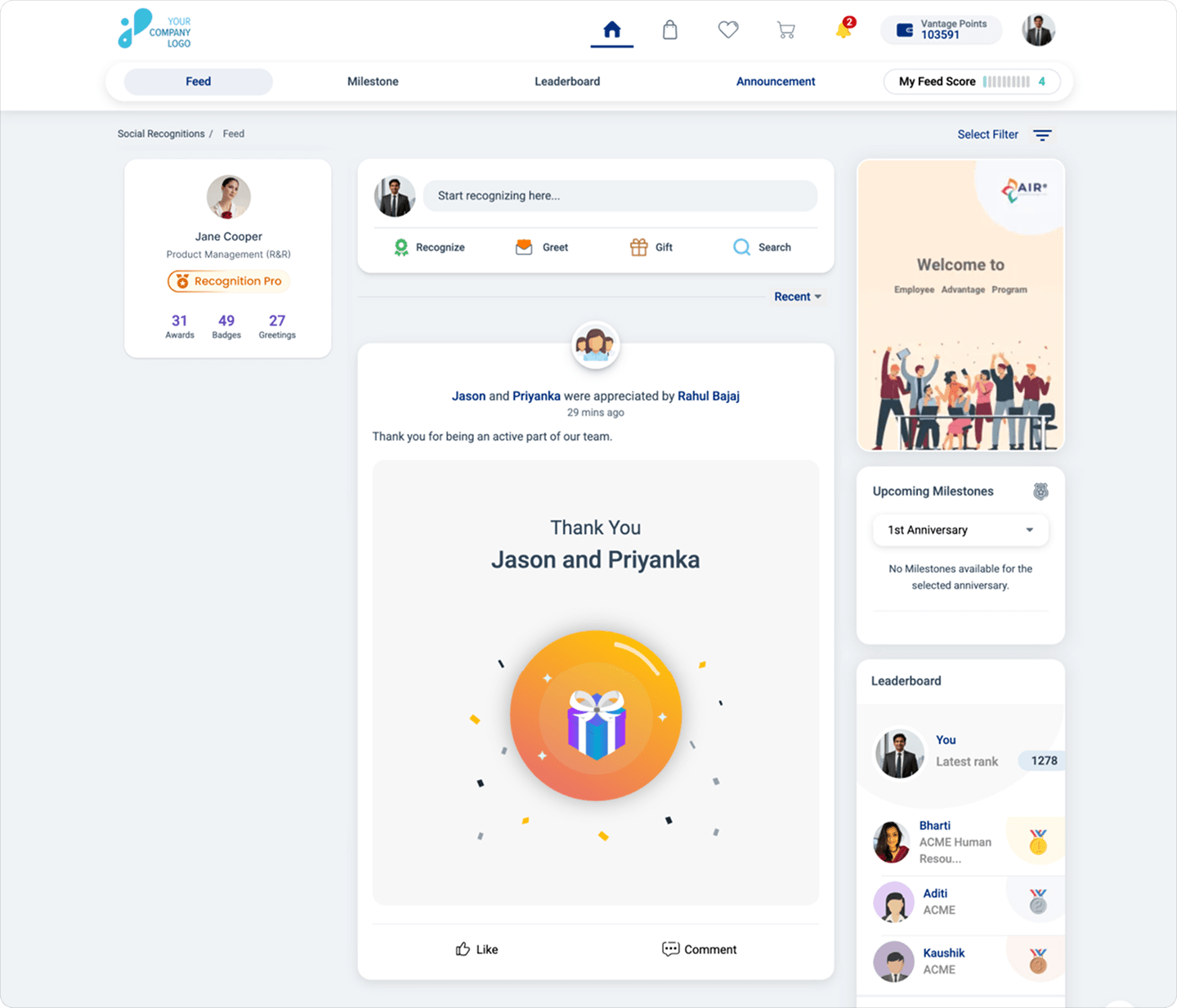
In an office, good work gets noticed in passing, in a meeting, in the kitchen. Remote teams have no hallway. A social recognition feed rebuilds that visibility: praise posted there is public, permanent, and readable across every time zone, which is exactly what positive feedback needs to do for a distributed team.
Source: Vantage Recognition
"Public shoutout for the person who kept the client demo running when the shared screen froze mid-presentation. Nobody watching knew anything had gone wrong."
"This team hit a five-day streak of same-day PR reviews across three time zones. That does not happen by accident."
"Whoever wrote the onboarding doc for our newest remote hire: she told me this morning it's the reason her first week didn't feel lonely."
"Recognition for the person who caught the invoice error before it reached the client, at 11 pm their time, on a Friday."
"The support thread that ran overnight across two continents and never dropped a customer: that's teamwork you can't see unless someone says so."
"Shoutout to the engineer who paired with a teammate eight time zones away for two hours past her own workday to unblock a launch."
"For the manager who rescheduled a client call twice so a new parent on the team could join from a reasonable hour: that's the kind of flexibility we want visible, not quiet."
"This recognition names the value behind it directly: ownership. The person who noticed the dashboard was wrong, told nobody, and just fixed it before anyone asked."
Praise that names the value behind it teaches without anyone stepping into an office to learn it. That is what values-tagged recognition does: the post above isn't just "great job," it points at the specific behavior the company wants repeated, readable by someone who has never met the person being praised.
Read this Blog: How to Give Positive Feedback: A 5-Part Method That Actually Works
Constructive Feedback for Remote Employees: 8 Hard-Situation Scripts
The hardest remote feedback responds to signals an office would have made obvious: a missed handoff, a quiet withdrawal, a camera that stays off.
These 8 scripts name what a distributed team can't see by accident.
"Your camera has been off for three straight team meetings, and I've noticed you've gone quiet in the chat too. I want to check in, not call you out."
"The handoff to the next shift was missing the one blocker they needed to know about, and it cost them two hours this morning."
"You've been online at odd hours for the past two weeks, sometimes past midnight your time. I want to talk about whether the workload is realistic."
"Three deadlines in a row have slipped without an async flag beforehand. I'd rather hear "I'm stuck" a day early than find out the day of."
"I noticed you've stopped asking questions in the team channel. Is something making it feel unsafe to ask there, or has something just changed?"
"Your replies have gotten shorter over the past month, and I can't tell if that's just a busy stretch or something else. Can we talk?"
"The overlap window between your time zone and the rest of the team has shrunk to about 90 minutes. Let's figure out if that's still workable."
"You've missed the last two async standups without a note. If the format isn't working for you, tell me, and we'll change it rather than let it slide."
Correct live, always
Text-based correction escalates faster than it de-escalates, because the reader supplies the tone and usually assumes the worst one. Schedule the call instead.
Please know that nobody wants to critique the person running the meeting while their own face is visible on it. An anonymous channel restores that signal, holding results back until enough responses arrive to protect who said what.
Feedback Across Time Zones: The 24-Hour Loop
Feedback across time zones works as a 3-step loop:
- Written context first
- A recorded walkthrough if the point is complex
- A live close within 24 working hours
Skip the live close and the loop never actually finishes; it just goes quiet.
Step 1 : Written Flag
Send it the moment you notice something, with enough context that the reader doesn't have to guess what you mean.
Step 2 : Recorded Walkthrough (optional)
Useful for anything nuanced: a two-minute voice or screen recording carries tone a paragraph cannot, and it does not require both people awake at once.
Step 3 : Live Close
The part everyone skips: a live conversation, scheduled within 24 working hours of the original message, even if it is five minutes. The written flag opens the loop. Only a live conversation closes it.
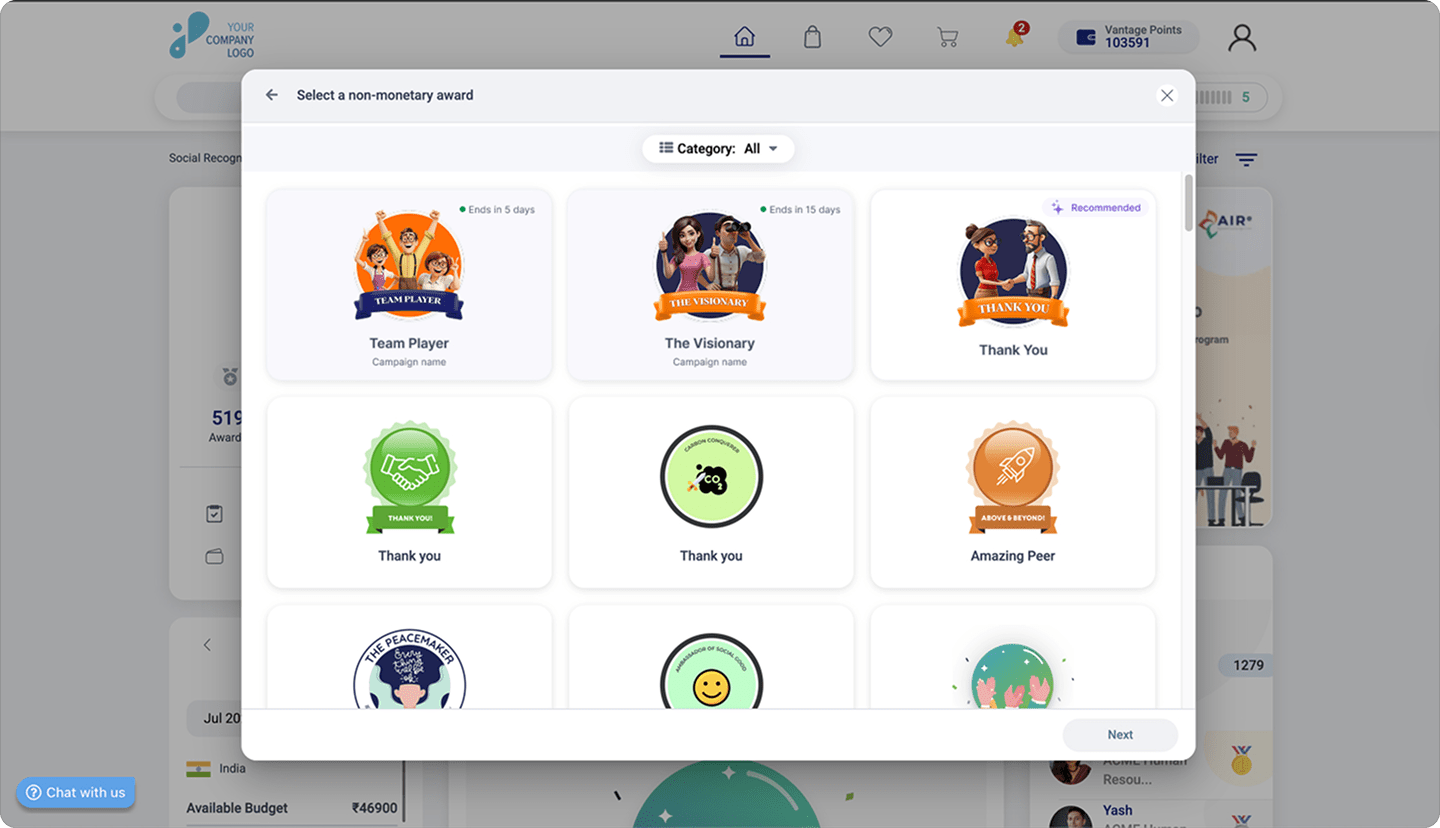
Feedback across time zones cannot wait for a manager to wake up to keep moving, either. A peer-to-peer recognition habit keeps that loop running around the clock.
Source: Vantage Recognition
Feedback is one slice of a much wider question. For the fuller picture of keeping a distributed team connected, see our virtual employee engagement ideas.
Frequently Asked Questions (FAQs)
1. How to give effective feedback to remote workers?
Give correction live over video, and give praise in writing or in public, since text strips out the tone correction needs but praise reads fine without it. Make intent explicit in anything written, and close every async thread within one working day so it never sits long enough to be misread as anger or as approval.
2. What is an example of good feedback for employees?
Good feedback names one specific behavior and its impact: "Your handoff doc for the EU rollout was the clearest one I've read this quarter, and I'm pointing the next new hire at it." It tells the person exactly what to repeat, unlike "great job," which tells them nothing.
3. What are some positive feedback examples?
Strong positive feedback is specific and, for remote teams, public: "This team hit a five-day streak of same-day PR reviews across three time zones. That does not happen by accident." Naming the exact behavior is what separates recognition from generic praise.
4. How to make remote employees feel valued?
Remote employees feel valued when good work is made visible without them having to point it out themselves, through public recognition, a manager's specific praise on camera, and follow-through after upward feedback. Visibility, not proximity, is what makes someone feel seen on a distributed team.
Conclusion
Remote feedback is not harder. It just requires deliberate choices about tone, timing, and visibility that an office used to make for you.
Pick one script from this list, use it this week, and adjust from there. That is how the habit actually builds.

Sanjeevani Saikia is a Senior Content Strategist at Vantage Circle, where she leads end-to-end content strategy across SEO, thought leadership, brand storytelling, podcasts, and video. She is also the host of the Vantage Influencers Podcast, where she brings conversations with HR and business leaders from top global organisations, including Fortune 500 companies.
Connect with Sanjeevani on LinkedIn.