As someone who has spent countless hours navigating the ins and outs of employee recognition, I’ve always believed that timely acknowledgment can transform workplace dynamics. And one of the tools that has truly stood out for me is Recognition in Microsoft Teams.
Employee recognition on Microsoft Teams can take two forms. You can use Teams' built-in Praise feature for quick, informal shout-outs, or integrate a dedicated recognition platform like Vantage Circle to deliver consistent, values-based recognition that scales across the organization.
Most growing teams need both. The tricky part is knowing where one stops being enough and the other starts earning its keep. This blog walks through both approaches.
Native Praise vs. Structured Recognition Platform: Which Do You Need?
Here's the simple way to think about it. If you're a small team looking for an easy way to say "thank you" more often, Microsoft Teams' native Praise feature does the job well.
But if you want recognition to be tied to rewards, company values, and measurable business outcomes across teams and locations, you'll need a dedicated platform like Vantage Circle.
| Native Teams Praise | Structured Platform (Vantage Circle) | |
|---|---|---|
| Best for | Quick, informal shout-outs within a chat or channel | Consistent, values-based recognition across the organization |
| Rewards | Badges only—no monetary or redeemable value | Points redeemable for gift cards, experiences, and custom rewards |
| Visibility | Limited to the chat or channel where it’s sent | Company-wide social recognition feed everyone can see and engage with |
| Tracking & insights | None—no way to measure who’s recognized or how often | Analytics on recognition frequency, participation, and program ROI |

Vantage Influencers Podcast
Designing a Winning Employee Recognition Strategy
Timely recognition, consistent communication, and aligning recognition with company values.
Listen to the EpisodeBoost Team Morale and Performance Through Recognition
When I first started prioritizing employee recognition in my daily workflow, the impact on team morale and performance was immediate. And, it’s not just me—our own research confirms it.
The Recognition Effect, a 2025 study by Great Place To Work® India and Vantage Circle covering 5.7 million employees across 2,000+ organizations, found that employees who perceive recognition as fair are 2.5x more likely to feel motivated and 92% more likely to stay with their company.
Moreover, recognition isn’t just about making someone feel good in the moment—it’s a powerful tool to enhance employee engagement and drive productivity. Vantage Circle’s Global Recognition & Rewards Report 2025 found that when recognition is consistent and meaningful, motivation increases by 18 percentage points and intent to stay rises by 16 percentage points.
In today’s work environment, where many of us rely heavily on digital communication, finding the right platform to deliver meaningful recognition is critical. For my team, Microsoft Teams has become that central hub—a space where work happens, ideas flow, and achievements are celebrated without having to switch platforms.
What makes Microsoft Teams so effective is its versatility. It integrates seamlessly into our daily communication and offers features that make recognition not just possible but effortless. Whether it's sending a quick message in the chat or using built-in apps to applaud someone’s effort, Teams has enabled me to make recognition a natural part of our team culture.
Here’s a quick look at the integration in action:
How Vantage Circle Integrates with Microsoft Teams?
Workplaces today are becoming increasingly fast-paced and staying connected while showing appreciation can sometimes take a backseat. To address this challenge, Vantage Circle has seamlessly integrated with Microsoft Teams.
This integration brings together the strengths of Vantage Circle’s comprehensive employee recognition platform - Vantage Rewards and Microsoft Teams’ collaborative capabilities. It installs directly from the Microsoft AppSource marketplace, works on both the Teams web and mobile apps, and can be pinned so the full recognition experience is always one click away.
Once installed it connects directly to Microsoft Teams, so recognition, rewards, nominations, and milestone awards all happen inside the Teams workflow your employees already use every day. The integration brings the full Vantage Rewards experience into the place where work conversations are already happening.
1. Send Real-time Recognitions and Rewards
Recognition often becomes an afterthought, not because it’s not important, but because switching to a separate tool mid-workday creates just enough friction to postpone it. The Microsoft Teams integration removes that friction entirely. You open the Vantage Rewards app right inside Teams, pick a colleague, and send a recognition in seconds. No switching platforms, no delays.
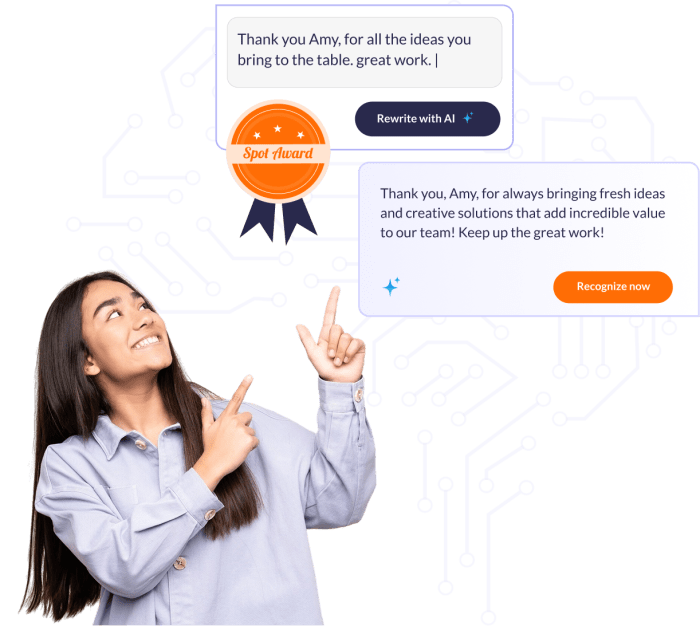
Each recognition can carry reward points along with the message, so appreciation comes with real, redeemable value, not just words. You can also choose from a variety of pre-designed templates crafted for different occasions. That makes it easy to send something thoughtful even on your busiest day.

And for those who prefer a personal touch, the platform also allows customized messages, enabling employees to tailor their words and make recognition more meaningful.
2. Foster a Culture of Appreciation with Public Recognition

Recognition feels great, but recognition shared publicly with your peers takes it to the next level. Vantage Circle’s integration with Microsoft Teams brings this to life through public recognition feeds, transforming how organizations celebrate their employees’ efforts and milestones.
So, how does it work? When someone is recognized through Vantage Rewards, the recognition isn’t confined to a private message or a select few. Instead, it’s broadcasted through a shared recognition feed within Teams that everyone can see. This integration ensures that every achievement—big or small—gets the attention it deserves.
Here’s why this feature is a game-changer:
Visibility Across the Organization: Achievements become visible to everyone in the organization, regardless of their role or department. It’s a fantastic way to build camaraderie and inspires others to emulate recognized behaviors, creating a cycle of positivity.
Interactive and Engaging: Your team can engage with the feed by liking or commenting on posts, making the recognition more meaningful and interactive.

Vantage Influencers Podcast
Cultivating a Culture of Appreciation: Unleashing the Power of Employee Recognition
— Dave Ulrich, HR Thought Leader
Listen to the Episode3. Subtle Recognition through Nominations and Awards

Recognition isn’t always about the big, public moments—it can also be about thoughtful gestures that resonate deeply with individuals. The integration offers a versatile approach to recognizing excellence in ways that suit every personality.
The platform streamlines the nomination process, allowing managers and peers to recognize exceptional contributions directly within the Microsoft Teams environment. Whether it’s for achieving significant milestones, or going above and beyond in their role, employees can be nominated seamlessly.
And for those who prefer a quieter form of acknowledgment, Vantage Rewards also supports private nominations within Teams. This option allows employees to send discreet recognitions, making it an ideal choice for individuals who thrive without public attention.
Recommended Resource: How to Nominate an Employee for Recognition
4. Tailoring Recognition to Your Team's Needs
Recognition isn’t a one-size-fits-all solution, and every individual has unique preferences when it comes to feeling appreciated. Vantage Rewards embraces this diversity by offering a suite of customizable recognition options, ensuring that every employee feels valued in a way that resonates with them personally.
Here’s how it caters to individual preferences:
e-Cards: Adding a Personal Touch to Everyday Moments
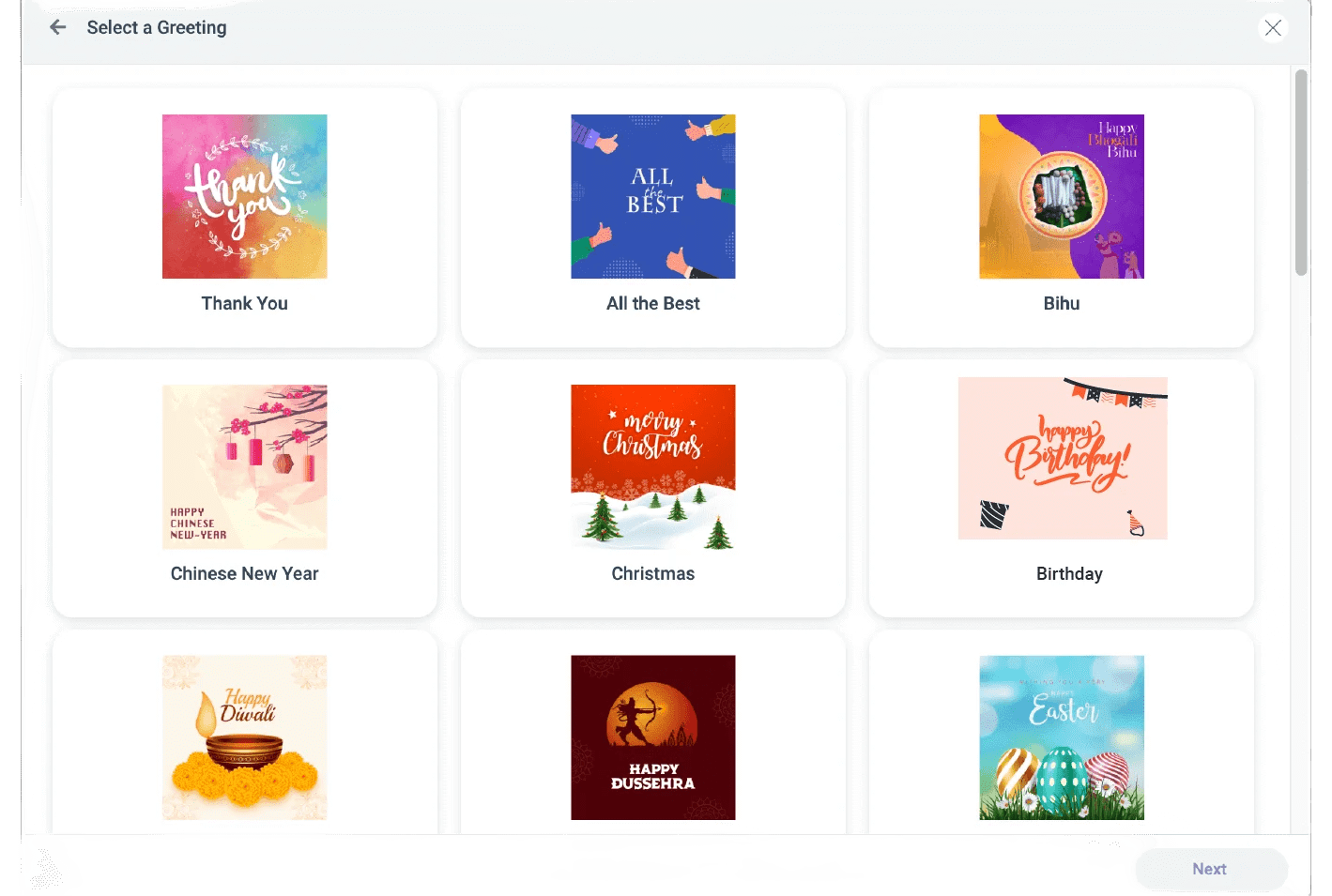
Sometimes, the simplest gestures can leave the most significant impact. Vantage Rewards’ e-Cards are perfect for those personal, heartfelt moments. You can mark special occasions like birthdays, work anniversaries, or festive holidays with vibrant, pre-designed digital cards.
What's even more exciting is that you can send it instantly through Microsoft Teams to bring a smile to a colleague’s face right when it matters.
Virtual Gifts: Freedom of Choice with Redeemable Points
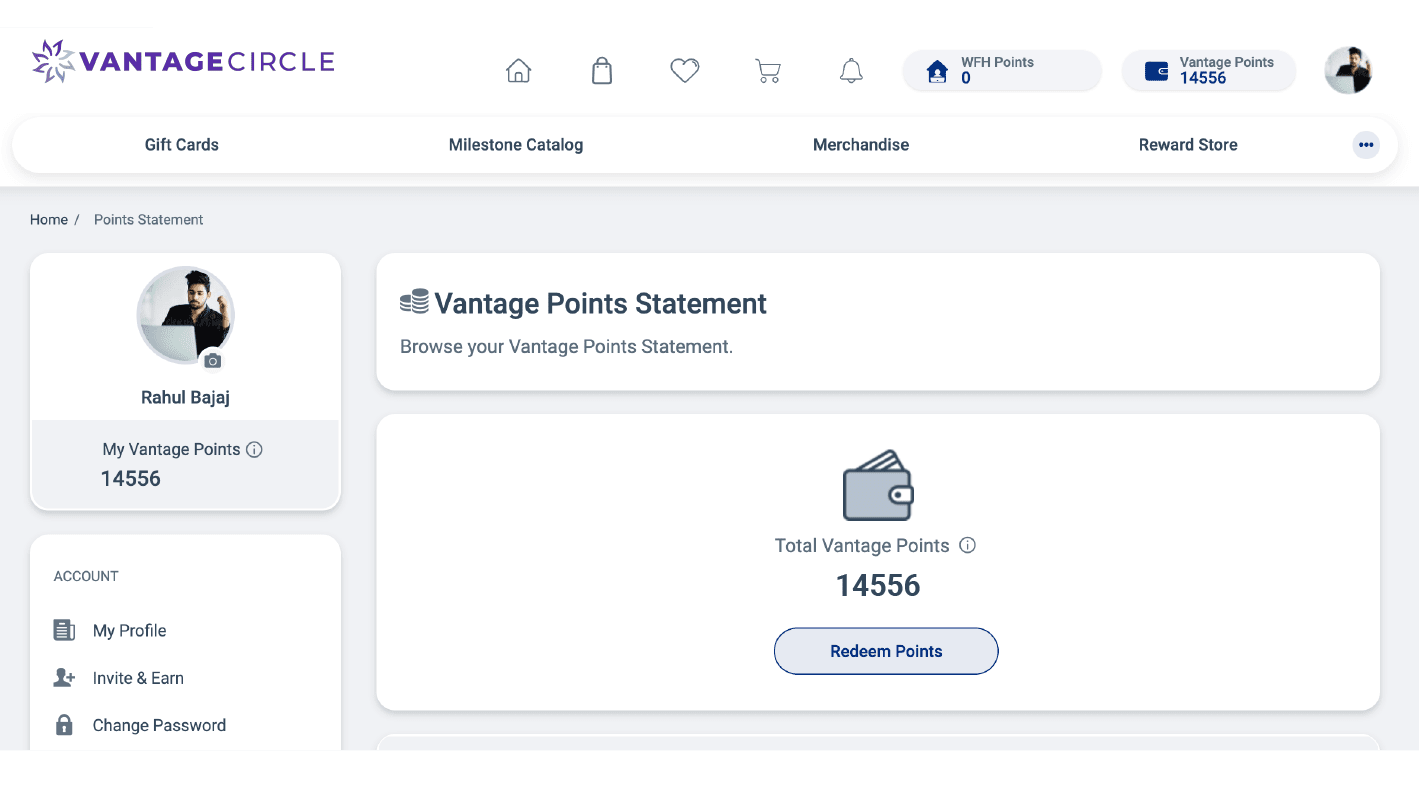
Not everyone values the same type of reward, and that’s perfectly okay! Vantage Rewards ensures employees have the freedom to pick what they truly want by offering redeemable points.
How it works: Employees earn points that can be redeemed for virtual gifts, global gift cards, or vouchers from a wide range of well-known brands.
This option puts the power of choice in the hands of employees, ensuring they receive a reward that genuinely excites them, whether it’s a dinner voucher, or a subscription service they love.
Recommended Read: Points Based Rewards System: A Complete Guide For HRs
Custom Rewards: Tailored to Reflect Organizational Goals

For a more personalized touch, Vantage Rewards enables organizations to design rewards that align with their values and objectives.
Think beyond the usual and consider exclusive team perks like spa days, team-building retreats, or points that can be pooled towards an exclusive experience.
Custom rewards allow companies to align their recognition programs with their culture and goals, making appreciation feel even more meaningful. It also fosters a stronger emotional connection between individuals and their workplace.
How to Leverage Built-In Microsoft Teams Praise Feature?
Microsoft Teams provides a range of native features designed to foster recognition and appreciation among team members. One standout tool is the "Praise" feature, which allows users to send kudos directly within chats or channels.
Here's how you can use the built-in free recognition apps in Microsoft Teams to recognize and thank colleagues effectively:
- Open a Chat: Navigate to the specific chat where you’d like to recognize someone.
- Select the Praise Icon: Click " + " in the message box, then select Praise from the menu.

- Choose a Badge: Pick a title that best represents your sentiment, such as “Thank you”, "Awesome” or “Achiever.”

- Add a Personalized Message: Write a thoughtful note detailing the individual’s accomplishment or the impact they’ve made.

- Send Your Praise: Once you're satisfied with the message, click Send. The recipient will receive the praise in their chat, and if it’s shared in a team space, the recognition will also be visible to others.

Pro Tip: Use the "Praise" feature in team channels to publicly celebrate achievements, which can motivate and inspire the entire team.
Conclusion: Strengthen Your Team with Meaningful Recognition
Incorporating employee recognition into your organization’s daily workflow has never been more seamless. With Vantage Rewards’ integration with Microsoft Teams, you can transform how your teams celebrate success and show appreciation.
This powerful combination leverages the power of a robust recognition platform with the convenience of a tool employees already use daily. By making it simple and accessible, it empowers managers and peers alike to acknowledge and celebrate each other.
FAQs
1. How to Give Recognition on Microsoft Teams?
You can use Microsoft Teams' built-in Praise feature to send a quick shout-out by selecting the Praise icon, choosing a badge, and adding a personalized message. For more structured recognition with rewards, company values, milestone automation, and analytics, integrate a platform like Vantage Circle with Teams.
2. How Do You Give Recognition to Team Members?
The most effective recognition is timely, specific, and meaningful. Instead of a generic "Great job," explain what the person did, why it mattered, and how it made an impact.
3. Is Native Teams Praise Enough, or do I Need a Dedicated Platform?
Teams Praise is great for everyday appreciation and informal shout-outs. However, organizations looking to build a consistent recognition culture with rewards, company values, analytics, and automated milestone celebrations will benefit from a dedicated platform integrated with Teams.
4. How do I Keep Teams Recognition from Feeling Forced?
Focus on recognizing genuine contributions rather than meeting recognition quotas. Encourage employees to acknowledge specific behaviors, tie recognition to company values, and make peer-to-peer appreciation a regular part of everyday work. This keeps recognition authentic and meaningful.

Shikha Gogoi is a Content Marketing Specialist focused on SEO-driven content around employee engagement, recognition, and workplace culture, helping build people-first workplaces.
Connect with Shikha on LinkedIn.