EN
EN  FR
FR  ES
ES  DE
DE 





What Is an Employee Recognition Digital Signage Template?
An employee recognition digital signage template is a set of screen-ready, 16:9-formatted layouts for displaying recognition content — award winners, anniversaries, new hire welcomes, and peer shout-outs — on office TV monitors, lobby displays, and digital screens.
Digital recognition via signage turns recognition into ambient recognition — always present, requiring no active click or login. Unlike an email or Slack message that disappears after a day, a recognition display board in a shared space is visible to everyone who walks past — reinforcing recognition values continuously, not just at the moment of announcement.
Screen-based recognition is one of the highest-visibility formats available to HR teams. A well-designed recognition slide in a lobby or breakroom reaches every employee who passes through — including the people who do not read internal newsletters or log into the recognition platform daily. Research from Gallup shows employees who receive regular recognition are 4x more engaged and significantly more likely to refer colleagues. Pair screen-based recognition with year-round workflows from the Recognition Templates hub to maximize program reach.
How to Use This Employee Recognition Digital Signage Template?
A four-step process for getting screen-ready recognition content from the template pack onto your office displays — with the right format, photo standards, export settings, and refresh cadence.
Step 1
Step 1: Choose the Signage Type and Layout
Select from the six layouts in the template pack: Award Winner Spotlight (single employee), Monthly Recognition Leaderboard (3 employees), Anniversary Wall (multiple anniversaries), New Hire Welcome, Peer Shout-Out Board, and Milestone Celebration. Each layout is optimized for 1920×1080 display.
Mixing content types (awards + birthdays + shout-outs on the same screen) reduces visual impact. Dedicate one screen to one content type, or use a rotation cycle that gives each content type a full 15–30 seconds of screen time.
Step 2
Step 2: Add Employee Photo and Details
Replace the placeholder photo with a professional headshot (minimum 400×400 pixels). Add the employee name, department, recognition title, and a one-sentence achievement note. Keep the achievement note under 15 words — signage is scanned, not read.
Employee photos are the highest-engagement element on recognition signage. Colleagues recognize faces before they read names. A missing or blurry photo reduces the recognition impact significantly.
Step 3
Step 3: Export in the Right Format for Your Display
Export as PNG for static displays, PDF for lobby screens, or use PowerPoint's auto-advance feature to create a looping slide show at 10–15 seconds per slide. For digital signage platforms (ScreenCloud, Yodeck, Rise Vision), PNG or JPG formats are the most compatible.
Test the exported file on the actual display before the recognition launch. Colors and font sizes that look correct on a laptop screen frequently appear too dark or too small on a TV display.
Step 4
Step 4: Set Up a Rotation and Refresh Schedule
Program a monthly refresh calendar: HR adds new content (award winners, anniversaries, new hires) on a set date each month. Remove stale content after 30 days. Award winner slides can run for 60 days for significant awards; standard peer shout-outs should rotate every 2 weeks.
The biggest failure mode in digital signage programs is stale content. An award winner slide from 4 months ago on an office screen signals that the program is running on autopilot — the opposite of the recognition culture you are trying to build.
Six Elements That Make Recognition Signage Work
Recognition slides that drive engagement and reinforce culture share six design and content principles. Slides that fall flat typically miss at least three. The template pack is built around all six.
1. Employee photo, large and clear
A full-color, sharp headshot occupying at least 40% of the slide. Recognition signage is a social display — faces are the primary hook that stop a passerby and make them read the name. Silhouettes, low-res thumbnails, or missing photos reduce stop-rate by more than any other single design factor.
2. Readable at 10 feet
Employee name in a font size of 60pt or larger. Recognition title at 36pt minimum. Achievement text at 28pt or larger.
Most lobby screens are viewed from 8–15 feet. Text that requires the viewer to walk closer fails the primary goal: ambient recognition that works at a glance.
3. One message per slide
Name, department, award title, and a single achievement sentence. No bullet lists, no paragraphs, no footnotes. Signage content competes with hallway conversations and phones. The message must land in 3 seconds or less or it will not land at all.
4. Brand-consistent color palette
Company primary and secondary colors as the slide background or overlay. The template ships with editable brand color fields so HR can match the company visual identity without involving a designer. Brand-consistent slides read as official recognition, not informal poster-board aesthetics.
5. Specific, dated recognition
Include the month and year of the award or milestone — "June 2026 Employee of the Month" rather than just "Employee of the Month." Dating the recognition anchors the content in time for viewers and gives the award program a visible cadence that builds expectation across the team.
6. A consistent rotation schedule
10–20 seconds per slide in a looping playlist, with content refreshed monthly for awards and bi-weekly for peer shout-outs. A recognition slide that runs for 90 days without updating signals to employees that the program is abandoned. Freshness is the single most important operational factor in digital signage effectiveness.
Sample Employee Recognition Digital Signage Templates
Two screen-ready layout frameworks from the template pack. Each includes layout specifications, content fields, brand guidance, display timing, and refresh cadence. The full pack adds four additional layouts for peer shout-outs, new hire welcomes, milestone celebrations, and recognition leaderboards.
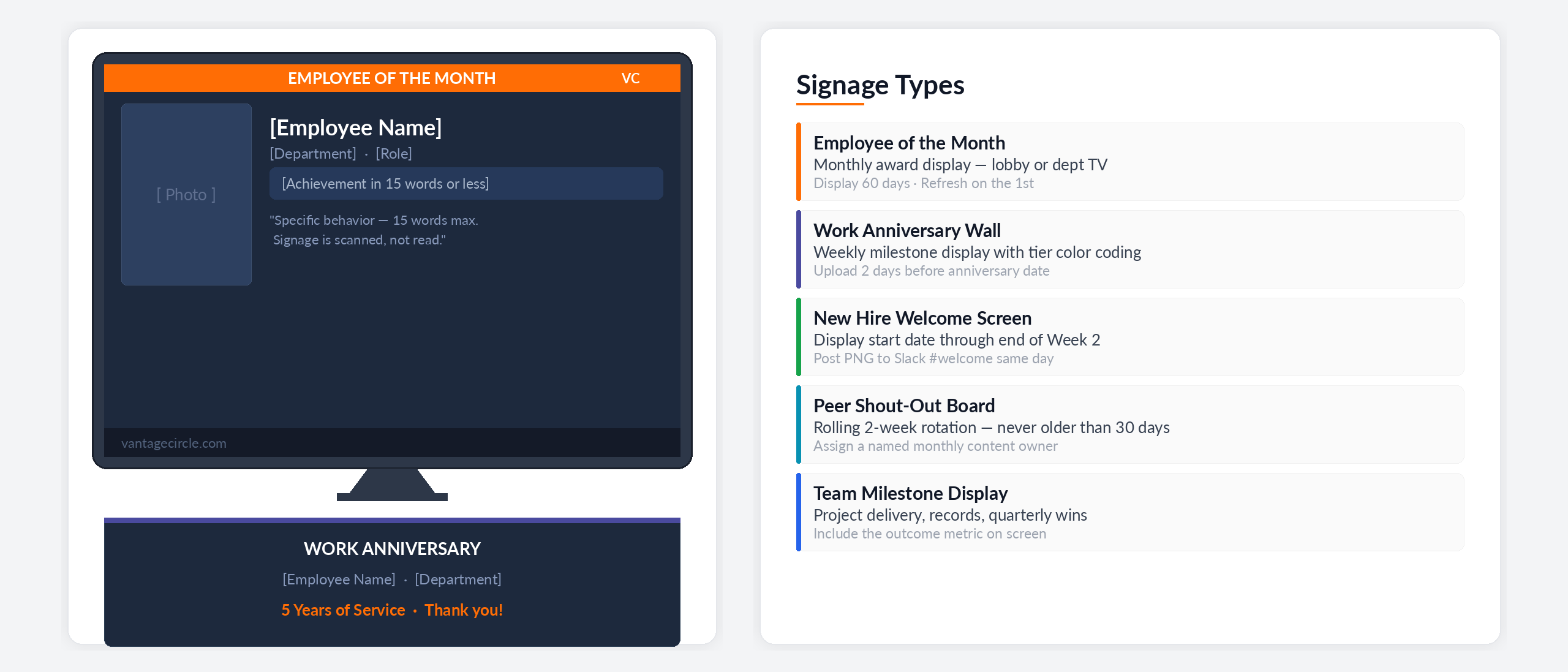
Sample Template 1: Employee of the Month Spotlight
Best for: monthly recognition display on office lobby screens or department TVs.
Layout: 16:9 landscape, full-bleed with brand color overlay
Content: Employee photo (half-screen), name, department, award title, 1-sentence achievement (under 15 words)
Brand Elements: Company logo top-right, brand color accent bar left edge
Display Duration: 15 seconds per slide in a looping rotation
Refresh Cadence: Monthly — swap on the 1st of each month
Sample Template 2: Work Anniversary Wall
Best for: displaying multiple milestone anniversaries on a shared office screen each week.
Layout: 16:9 grid — up to 4 employees per slide
Content Per Employee: Name, department, tenure years (large display number), small headshot
Brand Elements: Milestone color coding (gold for 5+, platinum for 10+, diamond for 20+)
Display Duration: 20 seconds per slide, run 1–2 days before each anniversary date
Refresh Cadence: Weekly — add upcoming anniversaries each Monday
Explore Employee Recognition & Engagement Templates
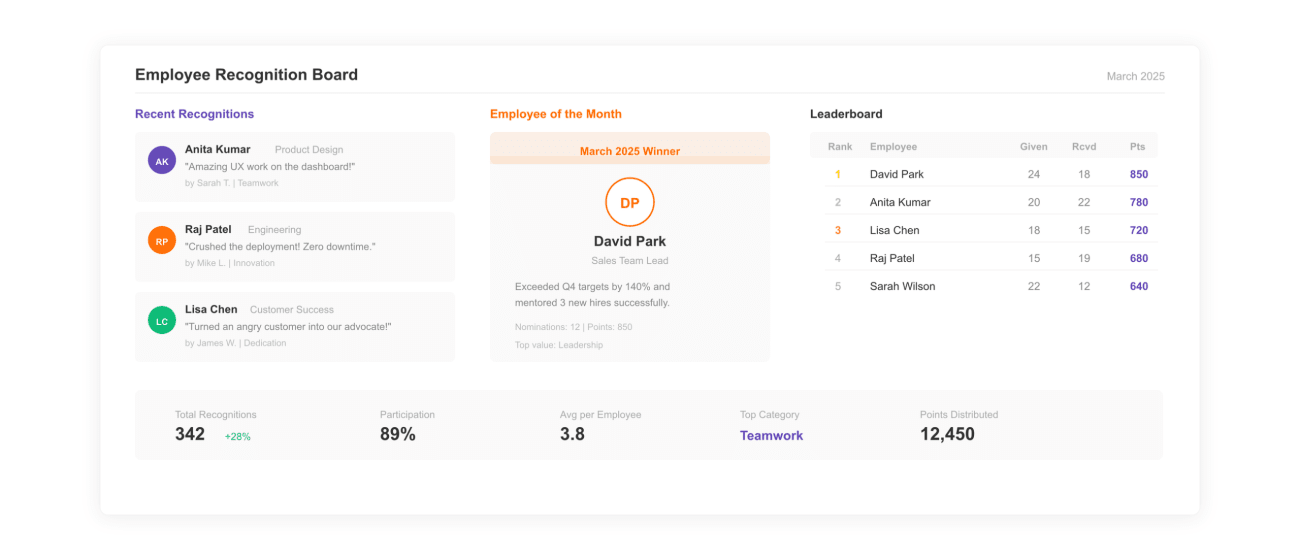
Employee Recognition Board Template
Physical and digital recognition board formats for displaying award winners.
View Template ›
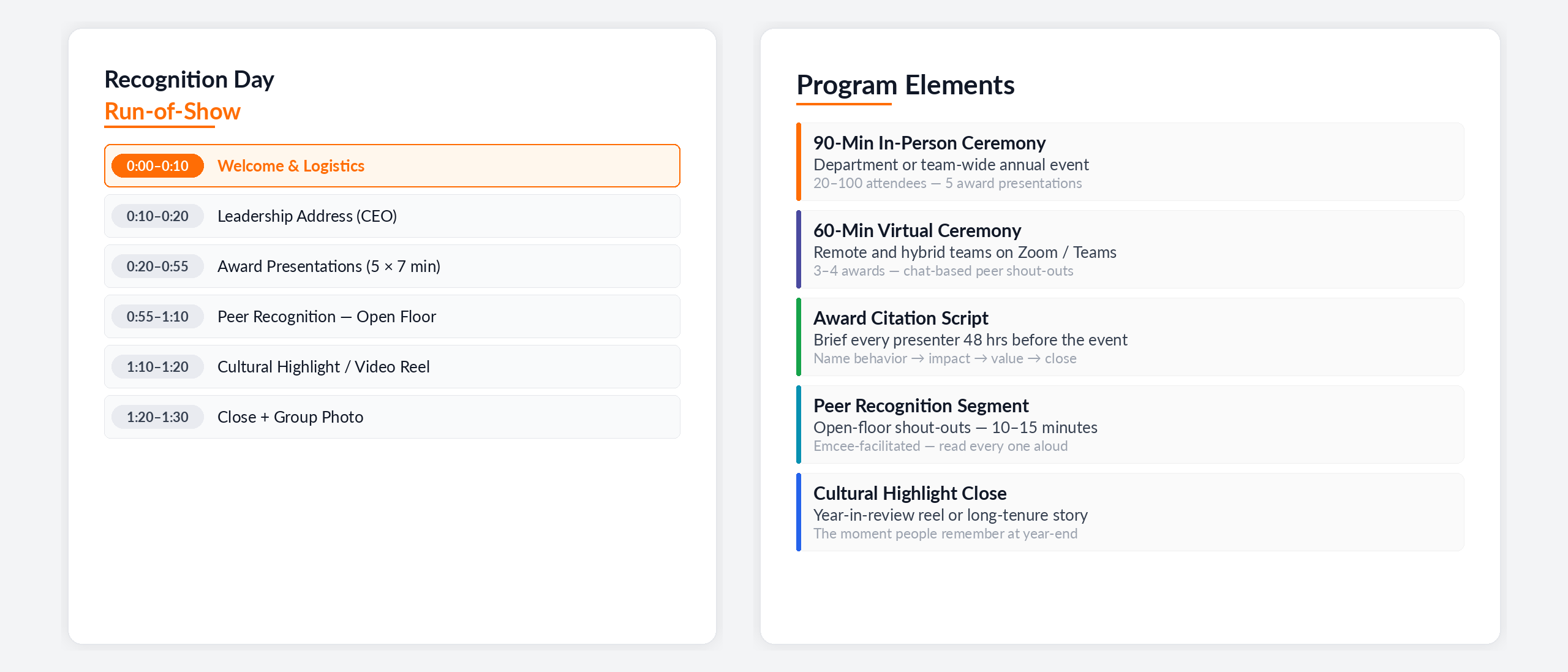
Recognition Day Program Template
Full ceremony run-of-show with signage-ready award slide layouts.
View Template ›
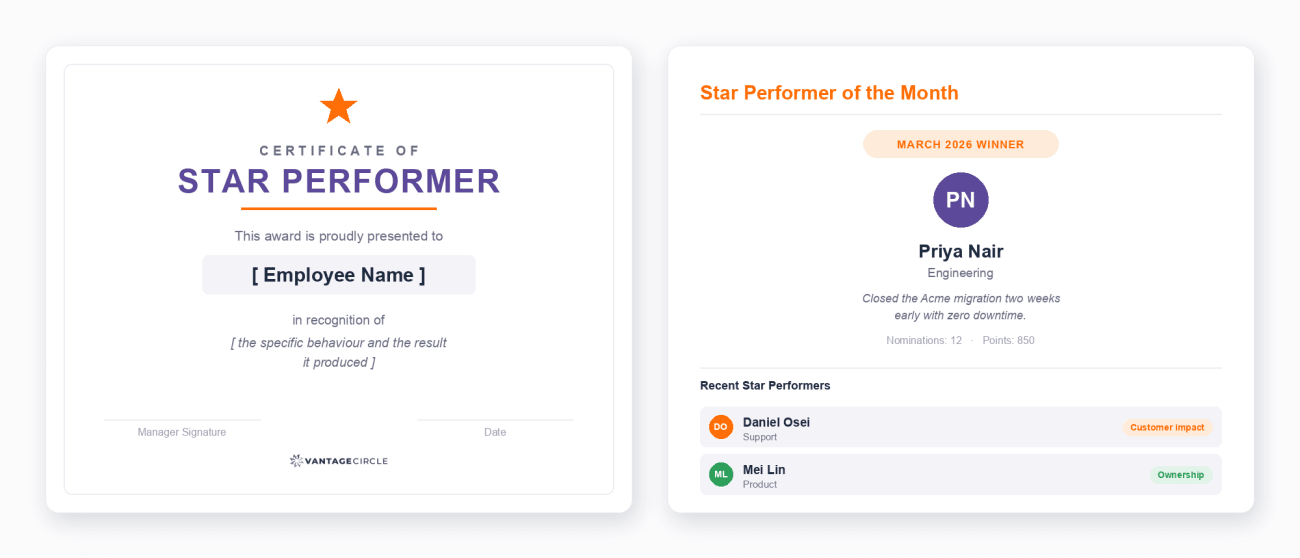
Star Performer Template
Of-the-month display formats for your top performer wall or office screen.
View Template ›